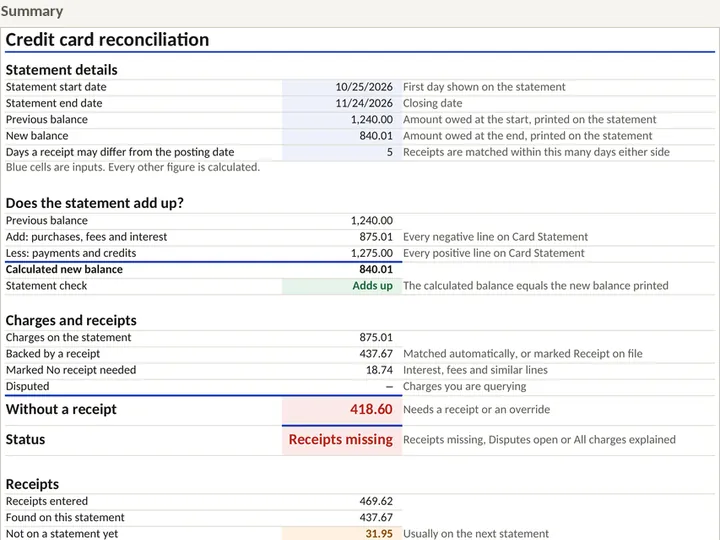
Credit Card Reconciliation Template
Match credit card transactions to receipts and identify missing supporting documents.
Accepts exported transaction data
Download .xlsx29 KB
Compare your bank statement with your records and identify outstanding items and discrepancies.
Download complete. Next step: Convert a statement PDF to data you can use in this template
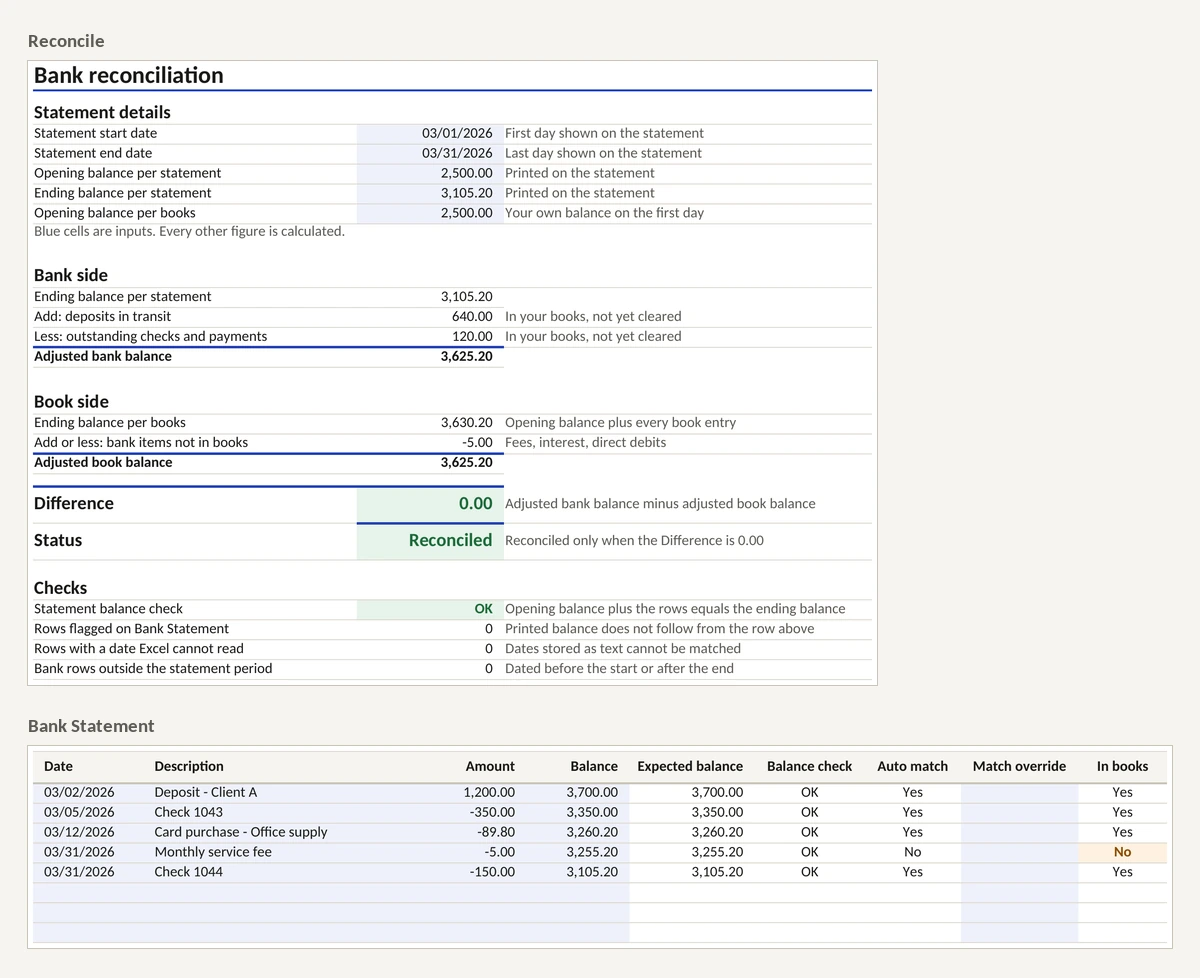
Reconcile a bank account by comparing its statement with your bookkeeping records. Enter opening and closing balances, add transactions, and review deposits in transit, outstanding checks and bank transactions not yet recorded in your books. Designed for freelancers, small businesses and personal accounts.
| Field | Description | Cell type |
|---|---|---|
| Amount (Bank Statement) | Money in positive, money out negative | Input |
| Expected balance | What the printed balance should be | Formula |
| Balance check | OK if the calculated balance matches the statement; otherwise Check | Formula |
| Auto match | Yes if your records contain the same amount within seven days | Formula |
| Match override | Your own Yes or No instead of the automatic match | Input |
| In books | Whether the transaction is recorded in your books, after any override | Formula |
| Cleared (Book Register) | Yes once the item is on the statement | Input |
| On statement | Suggested clearance status based on statement matches | Formula |
| Difference (Reconcile) | Adjusted bank balance minus adjusted book balance | Formula |
A deposit you have recorded in your books that the bank has not yet added. It stays at Cleared = No in the Book Register, and Reconcile adds it to the bank side.
A check or payment you have recorded that has not yet left the account. It also stays at Cleared = No, and Reconcile subtracts it from the bank side.
Read the Statement balance check on Reconcile first. If the rows do not add up, a statement line is missing, doubled or has the wrong sign. If it says OK, look at Bank Statement rows with In books = No for a fee, interest or direct debit you have not booked.
The layout is built for checking and savings statements, where money in is positive and money out is negative. A card statement works the other way round, with purchases adding to the balance, so this layout does not fit card accounts.
Keep one file per account. Copy the workbook, rename it, and clear the sample rows in each copy.
Upload the .xlsx to Google Sheets and open it there. After the import, check that the Reconcile totals match what Excel shows.
License: Free for personal and commercial use. You may edit this template and use it in your own work and business, including for clients. Please don't sell or redistribute the template file itself, on its own or as part of a template pack or collection. Provided "as is", without warranty of any kind; check your own figures. © 2026 PDF to Table — https://pdftotable.app/templates/bank-reconciliation/
Version 1. Last updated November 24, 2026.
Match credit card transactions to receipts and identify missing supporting documents.
Accepts exported transaction data
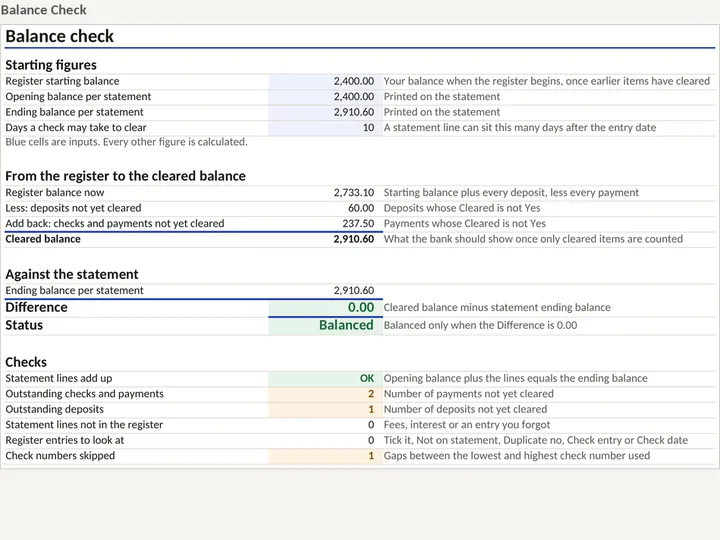
Record checks and deposits, then mark each entry as cleared when it appears on your bank statement.
Accepts exported transaction data
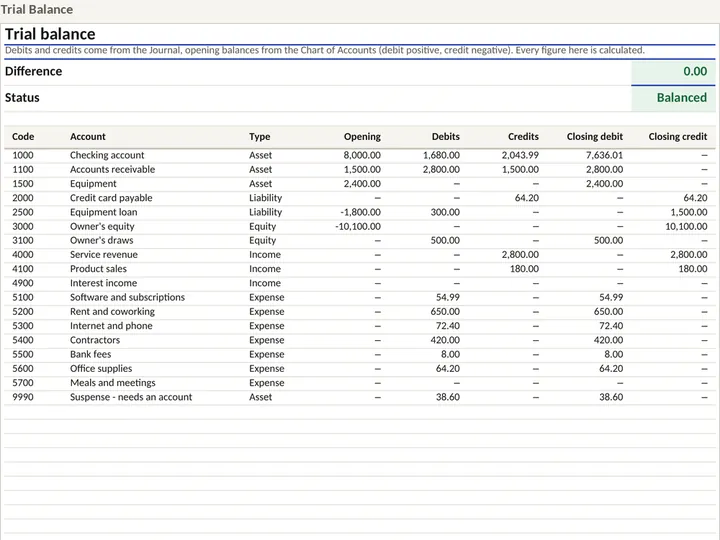
Categorize bank transactions to generate journal entries, account balances and a trial balance.
Accepts exported transaction data