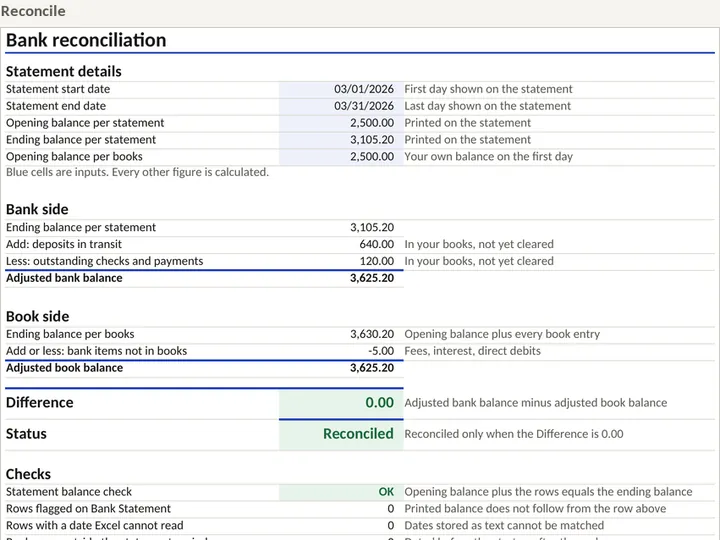
Bank Reconciliation Template
Compare your bank statement with your records and identify outstanding items and discrepancies.
Accepts exported transaction data
Download .xlsx29 KB
Record checks and deposits, then mark each entry as cleared when it appears on your bank statement.
Download complete. Next step: Convert a statement PDF to data you can use in this template
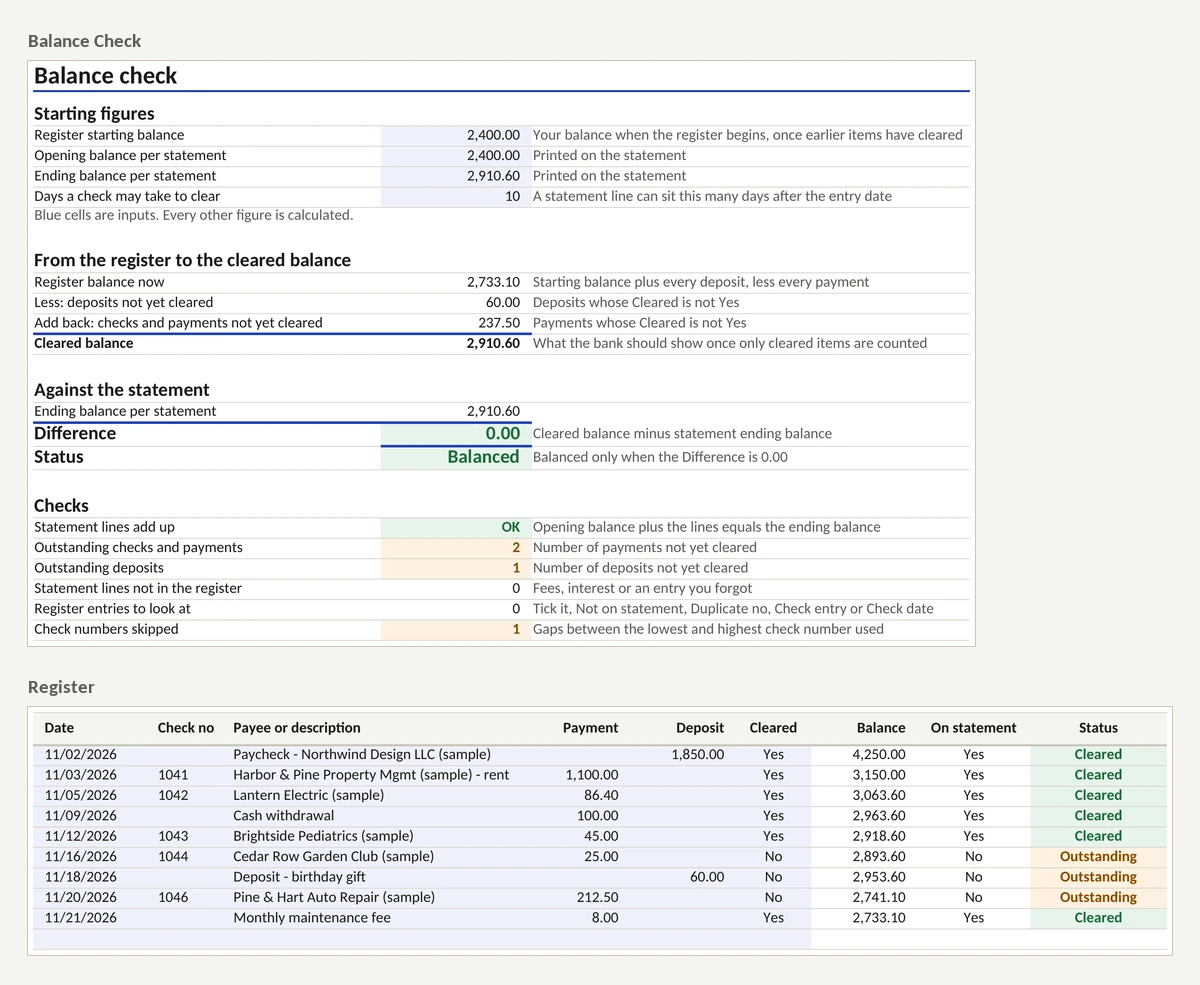
Record checks, payments and deposits with an automatically calculated running balance. Mark entries as cleared when they appear on your bank statement, then compare the cleared balance with the statement balance. Use the workbook to maintain and reconcile a single account.
| Field | Description | Cell type |
|---|---|---|
| Payment | Money out of the account, as a positive number | Input |
| Deposit | Money in, as a positive number | Input |
| Cleared | Yes once the entry has shown up on the statement | Input |
| Balance (Register) | The running balance after this row | Formula |
| On statement | Yes when the statement holds a matching line | Formula |
| Status | Cleared, Outstanding, Tick it, or a flag such as Not on statement | Formula |
| Amount (Statement) | Deposits positive, payments negative | Input |
| In register | Yes when the register holds the statement line | Formula |
| Cleared balance (Balance Check) | The register balance without items that have not cleared | Formula |
| Check numbers skipped | Gaps between the lowest and highest check number | Formula |
Your register balance with the uncleared items taken out, meaning deposits the bank has not added and payments it has not paid. That is the figure the statement should show.
The matching check allows a statement transaction to appear up to ten days after the register entry. Adjust Days a check may take to clear on Balance Check if you need a wider matching window.
No. Keep adding rows and the balance carries on. Each month, replace the lines on Statement and update the two statement balances.
You ticked an entry as cleared, but no statement line of that amount sits near its date. Untick it, or look for a typo in the amount.
A gap can be a voided check or one you forgot to record. The count points you at it. It does not prove anything is wrong.
License: Free for personal and commercial use. You may edit this template and use it in your own work and business, including for clients. Please don't sell or redistribute the template file itself, on its own or as part of a template pack or collection. Provided "as is", without warranty of any kind; check your own figures. © 2026 PDF to Table — https://pdftotable.app/templates/checkbook-register/
Version 1. Last updated November 24, 2026.
Compare your bank statement with your records and identify outstanding items and discrepancies.
Accepts exported transaction data
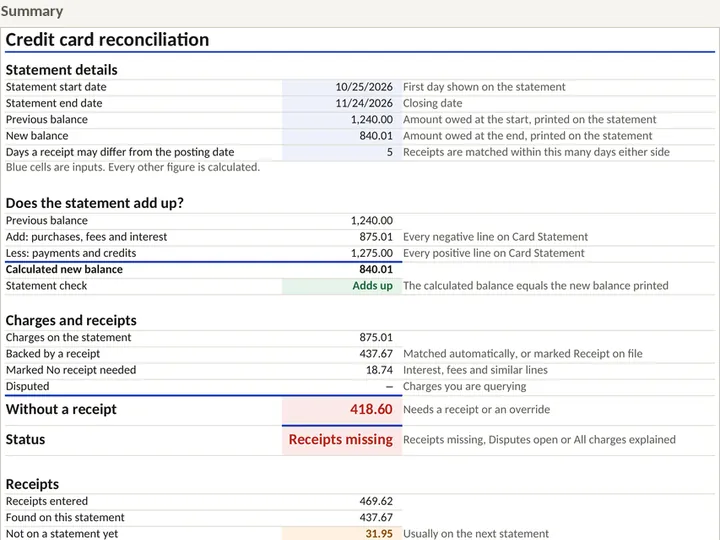
Match credit card transactions to receipts and identify missing supporting documents.
Accepts exported transaction data
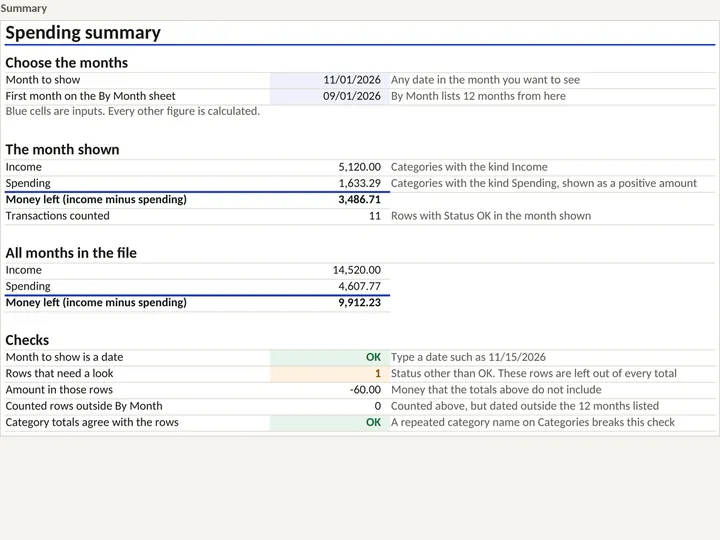
Categorize transactions to track monthly income and expenses.
Accepts exported transaction data
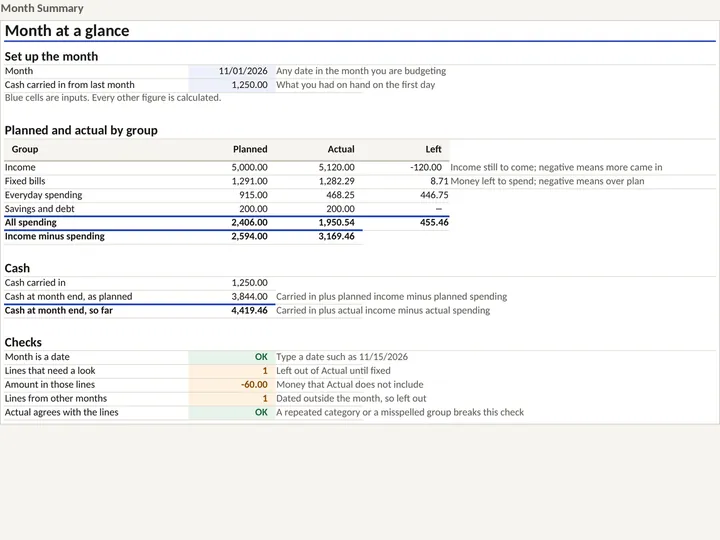
Plan monthly income and spending, compare actual results and monitor your remaining budget.
Accepts exported transaction data
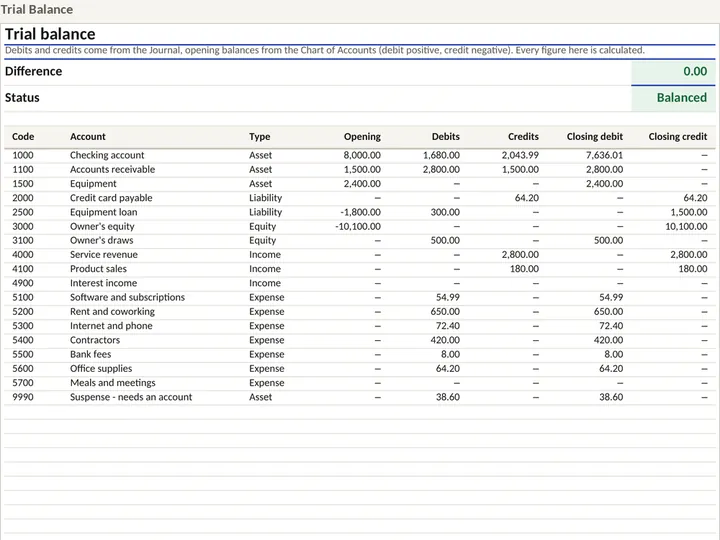
Categorize bank transactions to generate journal entries, account balances and a trial balance.
Accepts exported transaction data