Budget Template
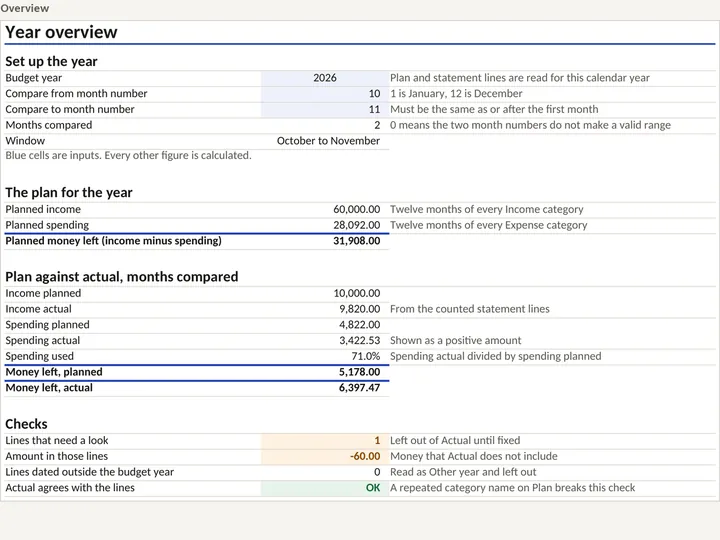
Plan your annual budget and compare monthly income and expenses with actual results.
Accepts exported transaction data
Download .xlsx32 KB
Plan monthly income and spending, compare actual results and monitor your remaining budget.
Download complete. Next step: Convert a statement PDF to data you can use in this template
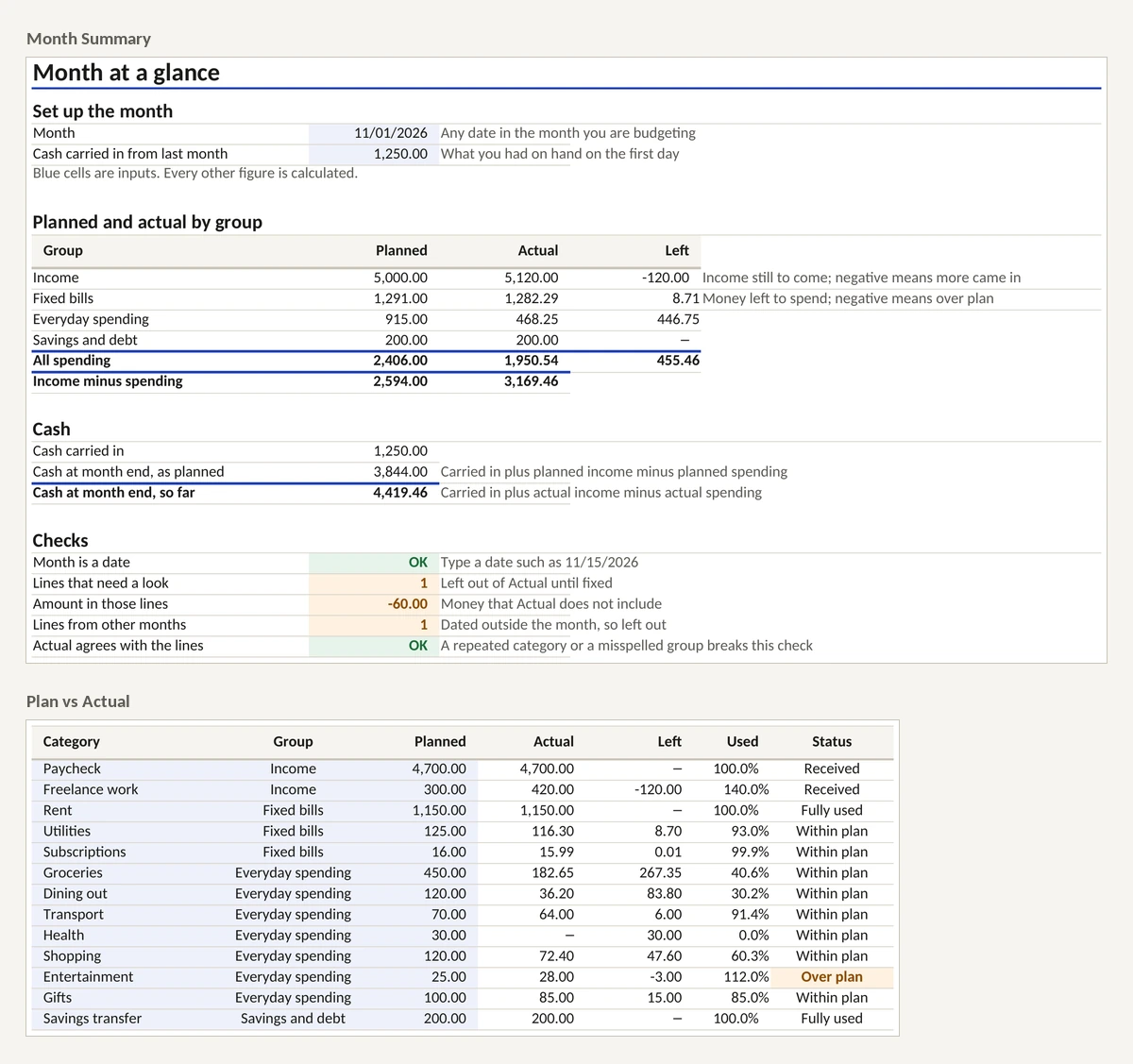
Plan one month of income and spending by category. Add statement transactions to compare actual amounts with your budget, review each category's remaining balance and see cash totals based on both the plan and transactions recorded so far.
| Field | Description | Cell type |
|---|---|---|
| Month | Any date in the month you are budgeting | Input |
| Cash carried in | Money on hand on the first day | Input |
| Group | Income, Fixed bills, Everyday spending or Savings and debt | Input |
| Planned | The amount you set for the category | Input |
| Actual | Total eligible transaction amounts for the category and month | Formula |
| Left | Planned minus actual | Formula |
| Status (Plan vs Actual) | Within plan, Fully used, Over plan, Still to come or Received | Formula |
| Status (Month Lines) | Counted, or the reason a line is skipped | Formula |
| Cash at month end, so far | Cash carried in plus actual income minus actual spending | Formula |
Statements rarely begin on the first of the month. A line dated outside the month reads Other month and is skipped. Month Summary counts those lines, so you can see how many were left out.
Left is planned minus actual. For spending it is the money still available, and a negative number means you are over. For income it is the amount still to arrive.
Keep the four names. Month Summary adds the groups up by name, and the consistency check reads Does not add up if a name does not match.
It adds the cash you carried in to income minus spending, once with your planned figures and once with the actuals so far, so you can see where the month is heading.
No. Copy the file for the next month and type this month's closing cash into Cash carried in.
It holds one month at a time. Change the month and clear the lines to reuse it, or keep one copy per month.
License: Free for personal and commercial use. You may edit this template and use it in your own work and business, including for clients. Please don't sell or redistribute the template file itself, on its own or as part of a template pack or collection. Provided "as is", without warranty of any kind; check your own figures. © 2026 PDF to Table — https://pdftotable.app/templates/monthly-budget/
Version 1. Last updated November 24, 2026.
Plan your annual budget and compare monthly income and expenses with actual results.
Accepts exported transaction data
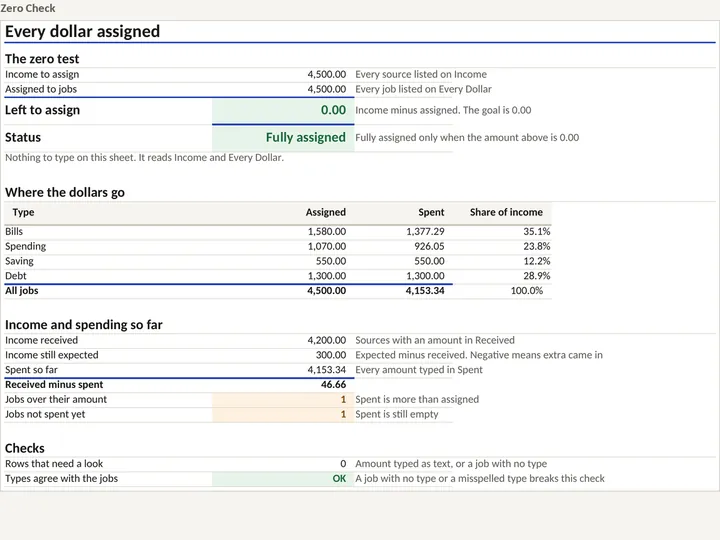
Allocate all expected income, then compare your budget with actual spending, savings and debt payments.
Uses figures from statements
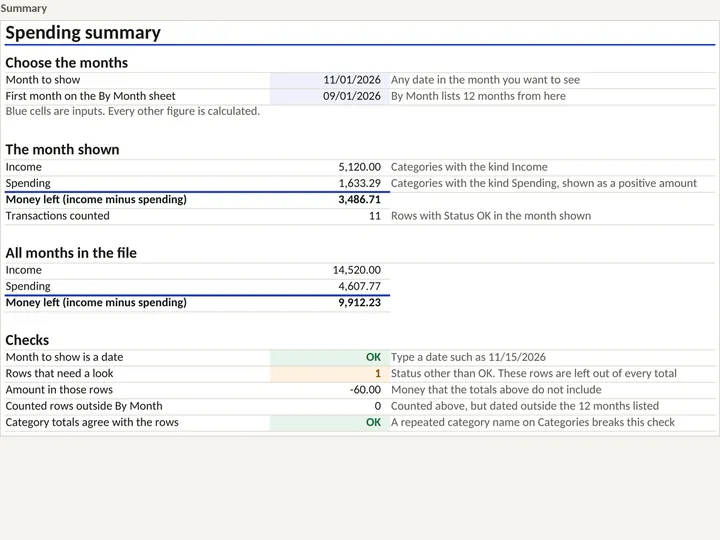
Categorize transactions to track monthly income and expenses.
Accepts exported transaction data
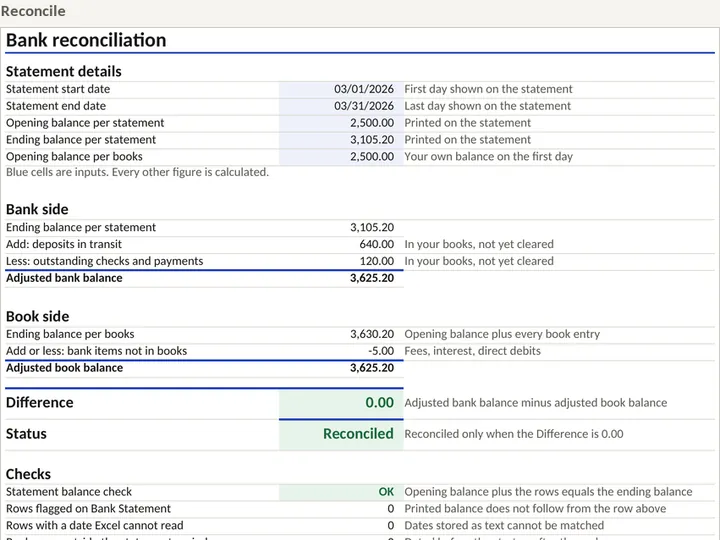
Compare your bank statement with your records and identify outstanding items and discrepancies.
Accepts exported transaction data
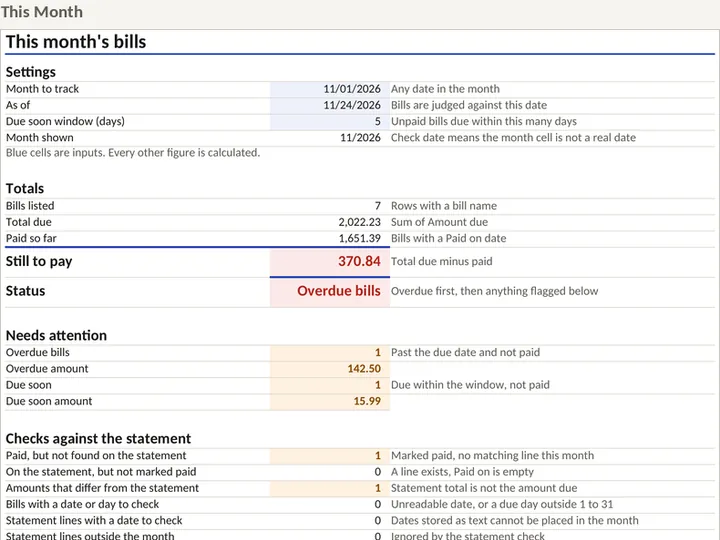
Track recurring bills, due dates and payment status, and check payments against your statements.
Uses figures from statements