Budget Template
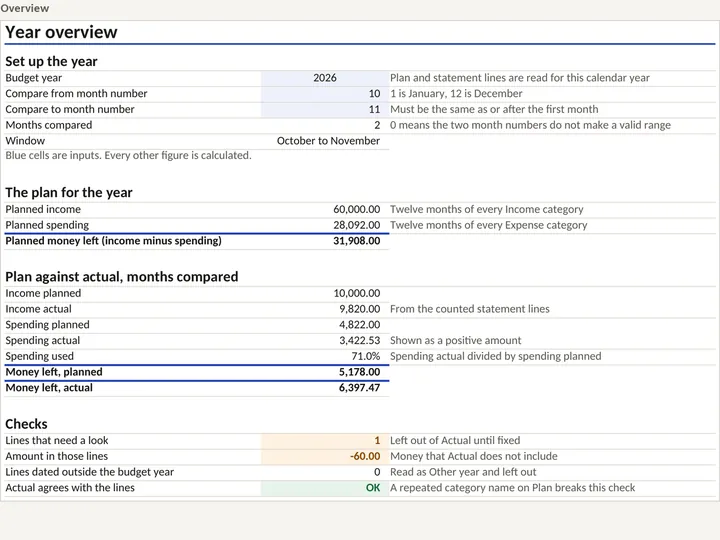
Plan your annual budget and compare monthly income and expenses with actual results.
Accepts exported transaction data
Download .xlsx32 KB
Allocate all expected income, then compare your budget with actual spending, savings and debt payments.
Download complete. Next step: Convert a statement PDF to data you can use in this template
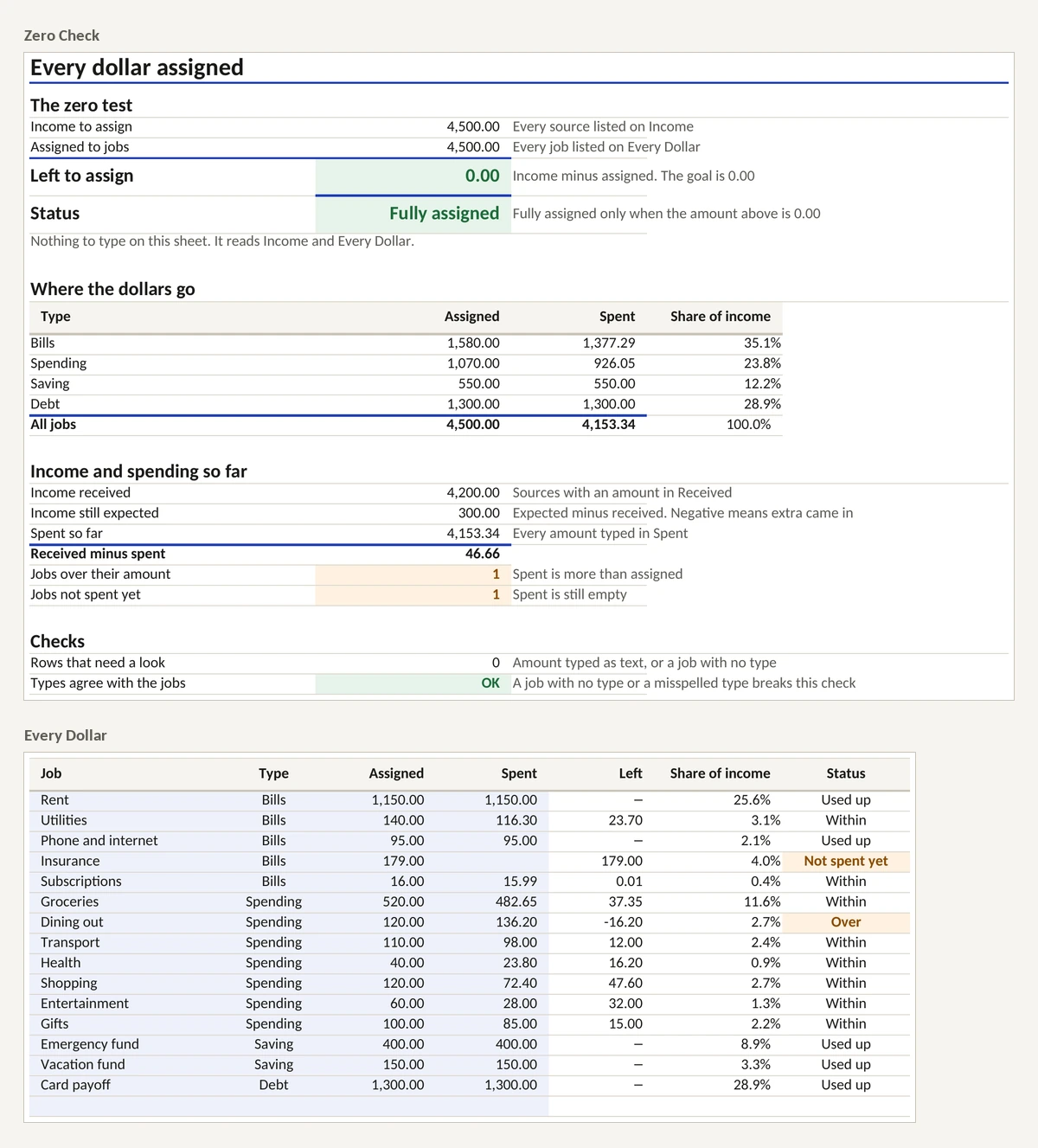
Allocate expected monthly income to bills, spending, savings and debt payments. The workbook shows the unallocated amount until every dollar has a purpose and the remaining balance is zero. Enter actual amounts to compare them with your allocations. A zero balance means all income is allocated, not that all of it must be spent.
| Field | Description | Cell type |
|---|---|---|
| Expected | Income you plan to receive from a source | Input |
| Received | Income that has arrived | Input |
| Type | Bills, Spending, Saving or Debt | Input |
| Assigned | Budget allocated to the item | Input |
| Spent | Actual amount used for the item during the month | Input |
| Left to assign | Expected income minus total allocations | Formula |
| Left | Assigned minus spent | Formula |
| Share of income | Item's allocation as a share of expected income | Formula |
| Status (Every Dollar) | Within, Used up, Over or Not spent yet | Formula |
No. A zero-based budget assigns all expected income to a purpose, including savings and debt payments. Allocate money you want to save to a category with the Saving type.
Your allocations exceed expected income. Reduce one or more allocations, or correct expected income if it is inaccurate. Over-assigned remains until the budget balances.
Use the category totals on your statements. Add up the rows of one category and type the total. The workbook does not import statement lines, because it works with totals.
Yes. Expected income drives the plan, and Received only tracks what has come in. A source with nothing in Received reads Not yet.
Zero Check summarizes allocations by type, so the four type names must remain unchanged. A missing or misspelled type causes the consistency check to show Does not add up.
Yes. List each paycheck as its own source on Income, and the month's total is assigned in one pass.
License: Free for personal and commercial use. You may edit this template and use it in your own work and business, including for clients. Please don't sell or redistribute the template file itself, on its own or as part of a template pack or collection. Provided "as is", without warranty of any kind; check your own figures. © 2026 PDF to Table — https://pdftotable.app/templates/zero-based-budget/
Version 1. Last updated November 24, 2026.
Plan your annual budget and compare monthly income and expenses with actual results.
Accepts exported transaction data
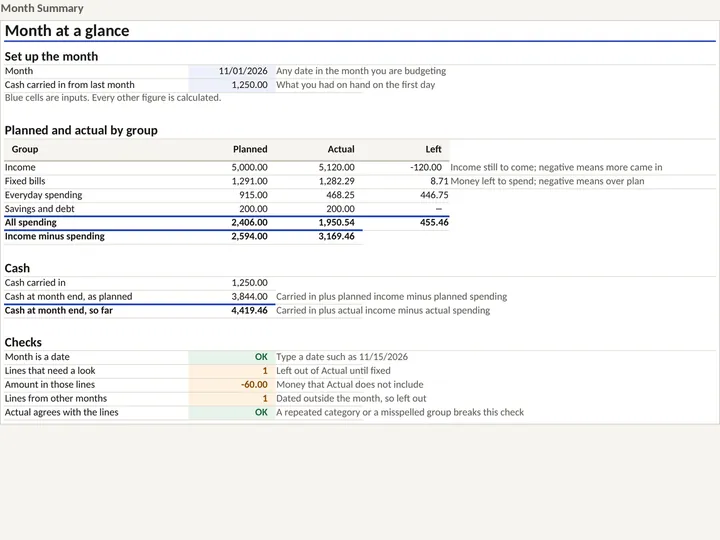
Plan monthly income and spending, compare actual results and monitor your remaining budget.
Accepts exported transaction data
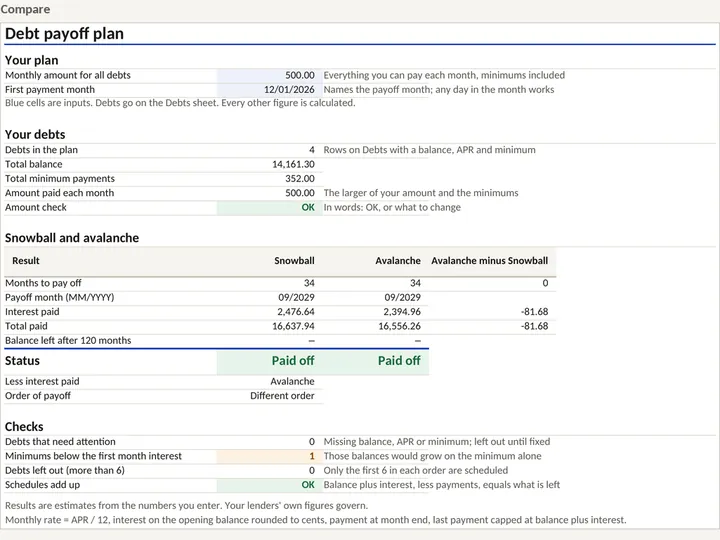
Compare debt repayment strategies using balances, APRs and minimum payments from your statements.
Uses figures from statements
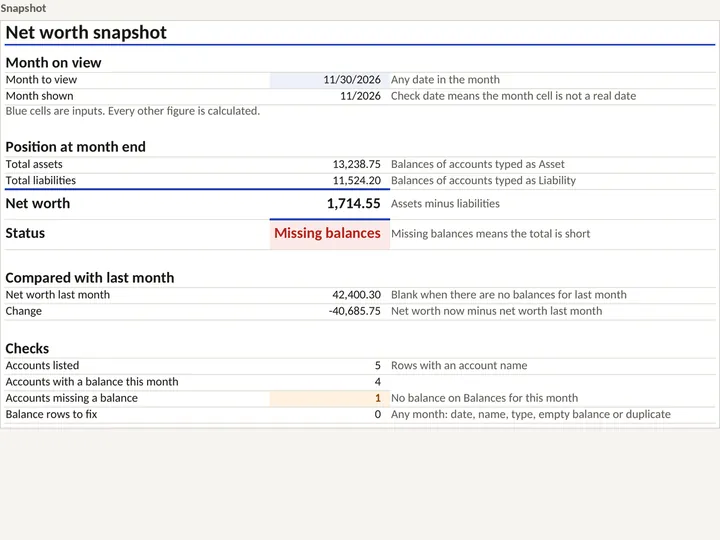
Track assets, liabilities and net worth by month, with alerts for missing account balances.
Uses figures from statements
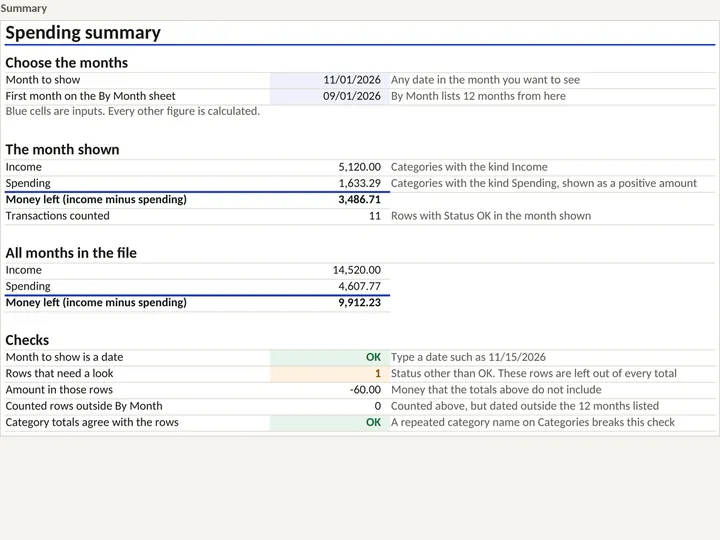
Categorize transactions to track monthly income and expenses.
Accepts exported transaction data