Debt Payoff Calculator
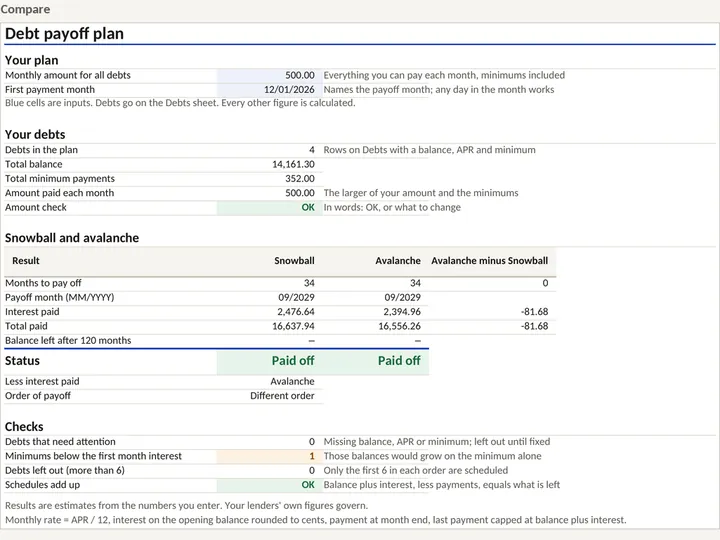
Compare debt repayment strategies using balances, APRs and minimum payments from your statements.
Uses figures from statements
Download .xlsx80 KB
Track assets, liabilities and net worth by month, with alerts for missing account balances.
Download complete. Next step: Convert a statement PDF to data you can use in this template
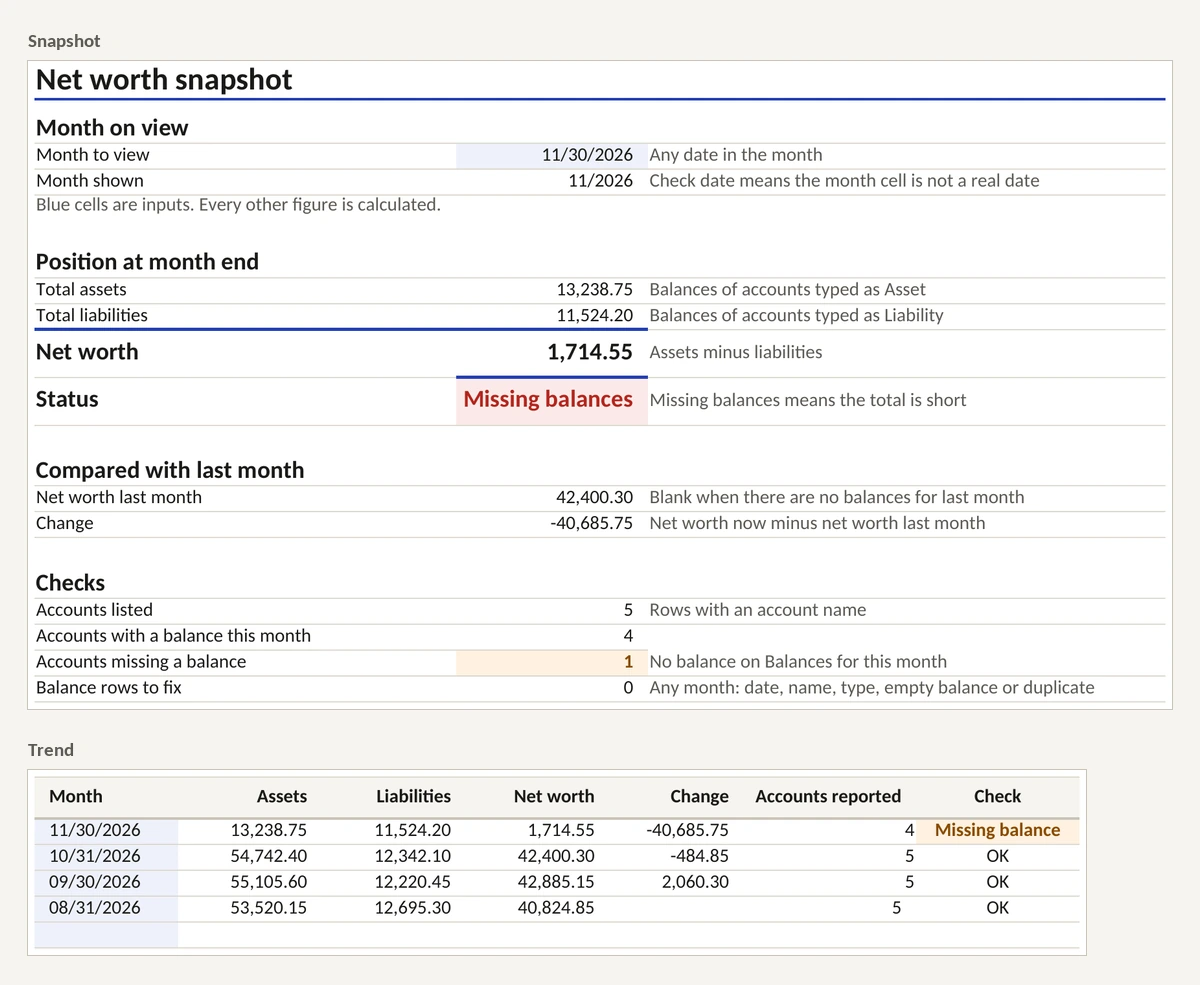
Track your net worth by subtracting liabilities from assets. List your accounts, then enter dated balances to review a monthly snapshot and trend. Missing-balance alerts identify accounts that still need an entry before the totals are complete.
| Field | Description | Cell type |
|---|---|---|
| Type | Asset for what you own, Liability for what you owe | Input |
| Statement date | Date printed on the statement | Input |
| Balance | Closing balance, positive for liabilities | Input |
| Month (Balances) | The end of the statement's month | Formula |
| Check (Balances) | OK, or the problem with the row | Formula |
| This month | Balance of the account for the month on view | Formula |
| Status (Accounts) | Reported or Missing for that month | Formula |
| Net worth | Assets minus liabilities | Formula |
| Accounts reported | How many accounts have a balance that month | Formula |
| Month (Trend) | Any date in the month you want listed | Input |
Set the account's Type to Liability and record the amount you owe as a positive number. Net worth subtracts it for you.
Use the closing balance, the figure at the end of the statement period. Enter it with the statement date, so it lands in the right month.
Both statement dates are grouped into the same calendar month. Their balances still represent different dates, so the monthly total is not a snapshot taken on a single day.
An account on Accounts has no balance for the selected month. Without it, net worth and the change from last month may be overstated or understated. Enter the missing balance before relying on those totals.
No. It never carries a figure forward or guesses. A missing account stays visibly missing until you enter a balance.
Add the item as an account with the Asset type and a group such as Property, then enter an estimated value whenever you review it. Type the value from your own records, because a statement will not give one.
License: Free for personal and commercial use. You may edit this template and use it in your own work and business, including for clients. Please don't sell or redistribute the template file itself, on its own or as part of a template pack or collection. Provided "as is", without warranty of any kind; check your own figures. © 2026 PDF to Table — https://pdftotable.app/templates/net-worth/
Version 1. Last updated November 24, 2026.
Compare debt repayment strategies using balances, APRs and minimum payments from your statements.
Uses figures from statements
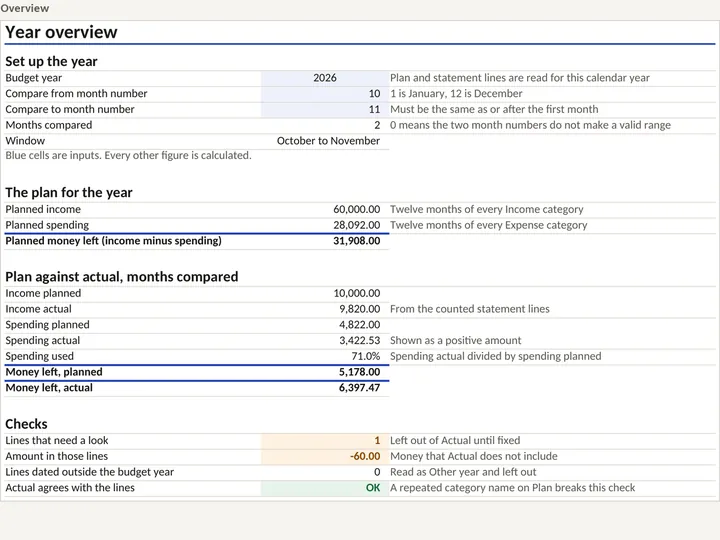
Plan your annual budget and compare monthly income and expenses with actual results.
Accepts exported transaction data
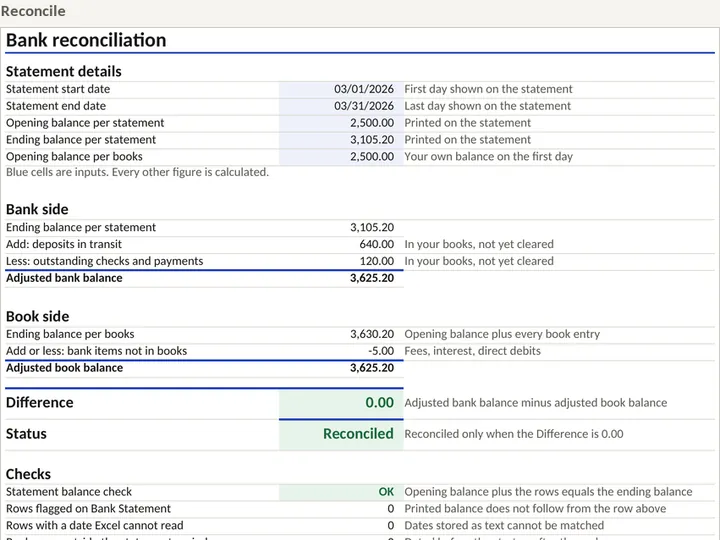
Compare your bank statement with your records and identify outstanding items and discrepancies.
Accepts exported transaction data
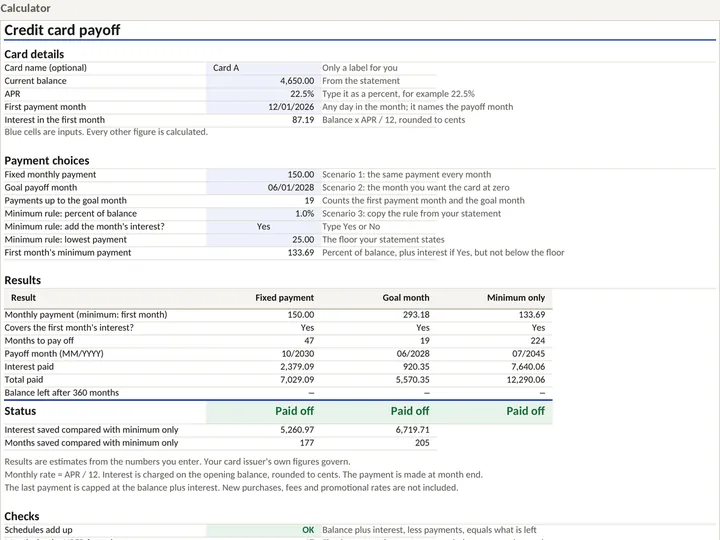
Compare three repayment options, including estimated payoff dates and total interest.
Uses figures from statements
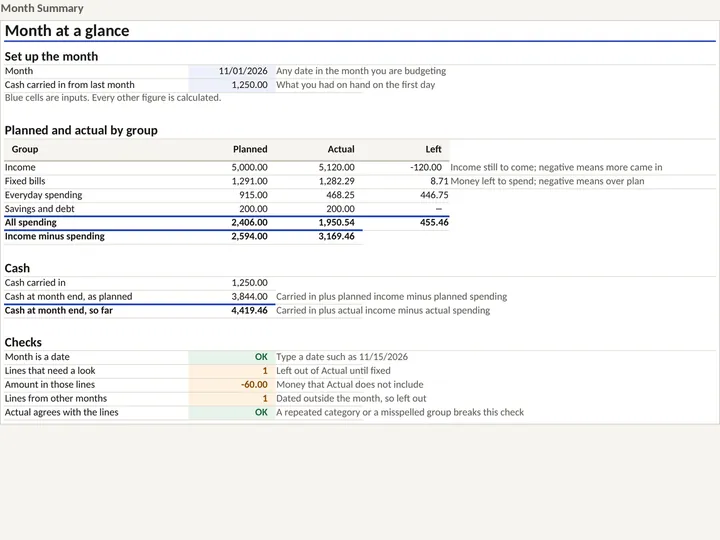
Plan monthly income and spending, compare actual results and monitor your remaining budget.
Accepts exported transaction data