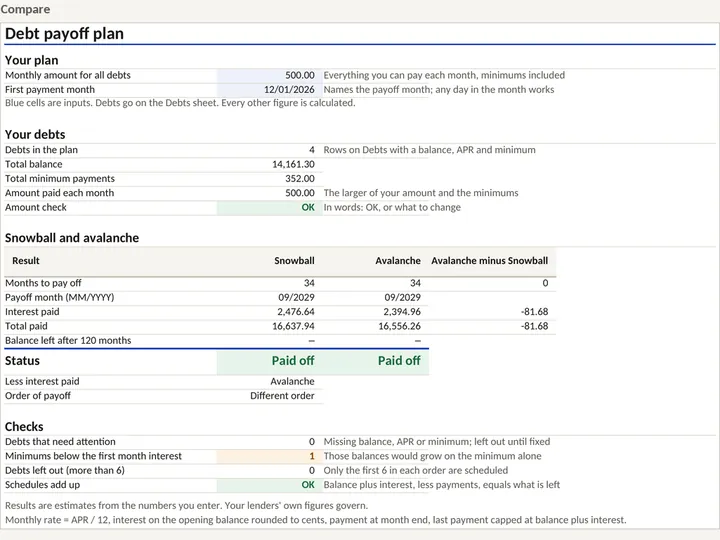
Debt Payoff Calculator
Compare debt repayment strategies using balances, APRs and minimum payments from your statements.
Uses figures from statements
Download .xlsx80 KB
Compare three repayment options, including estimated payoff dates and total interest.
Download complete. Next step: Convert a statement PDF to data you can use in this template
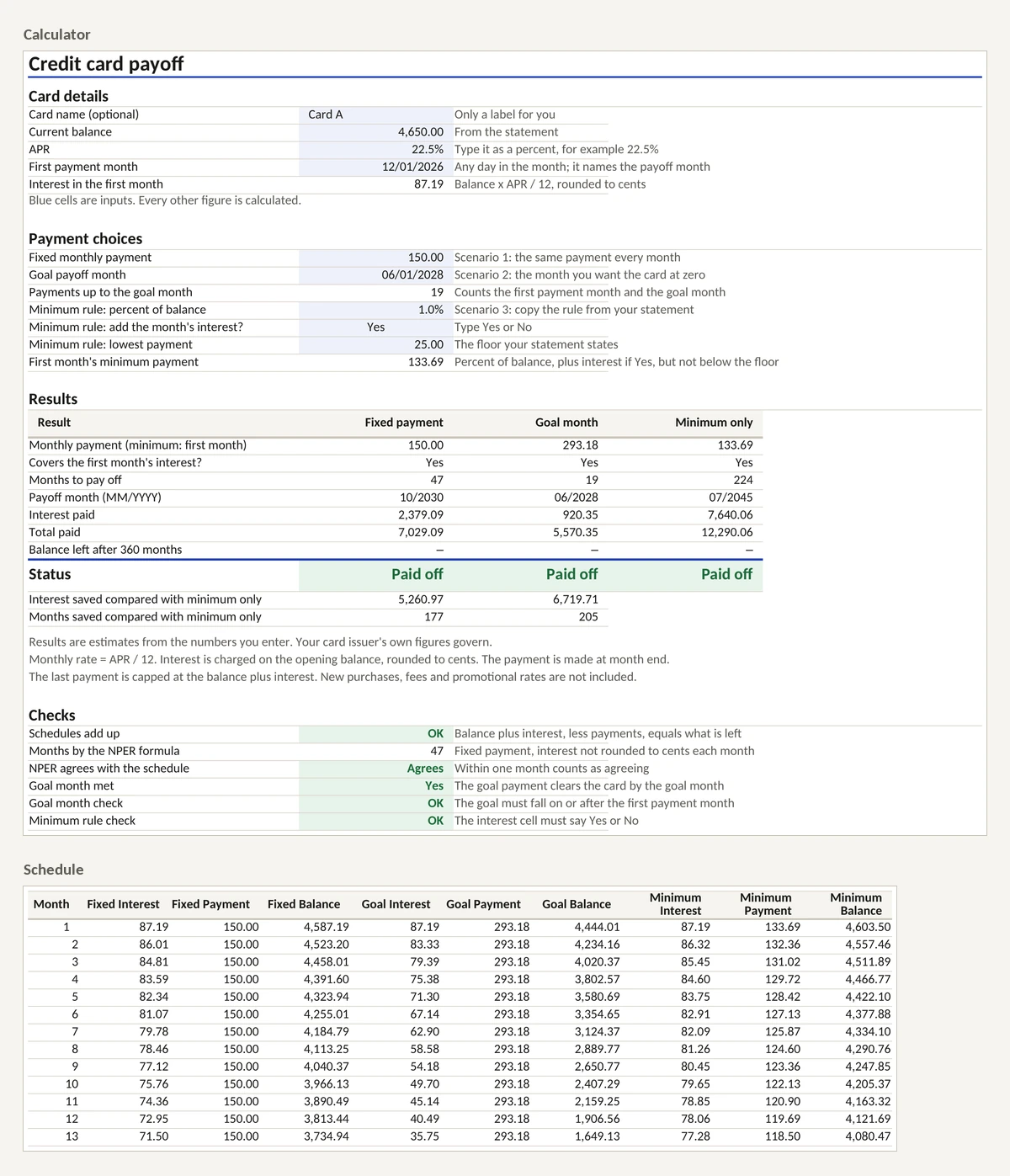
Estimate how long it will take to repay one credit card. Enter the balance and APR, then compare a fixed monthly payment, a target payoff date and minimum payments. Each option shows the estimated repayment period, total interest and payoff month.
| Field | Description | Cell type |
|---|---|---|
| Current balance | What you owe now | Input |
| APR | The yearly rate, as a percent | Input |
| Fixed monthly payment | The same amount every month | Input |
| Goal payoff month | When you want the balance at zero | Input |
| Minimum rule cells | Percent of balance, interest Yes or No, lowest payment | Input |
| Goal month payment | PMT raised to the next cent | Formula |
| Status | Paid off, Payment too low, Over 360 months, or what to enter | Formula |
| Interest saved compared with minimum only | Minimum-only interest less this option's interest | Formula |
| Months by the NPER formula | A cross-check on the fixed payment | Formula |
The payment is not above the first month's interest, so the balance would never fall. Calculator shows the words and builds no schedule for that option. Type a larger payment or recheck the APR you entered.
With PMT, for the number of monthly payments from your first payment month through the goal month. The result is raised to the next cent so the balance is clear by then.
Use the terms printed on your statement. Enter the percent of the balance, say Yes if the month's interest is added, and give the lowest payment. The sheet applies that rule to the opening balance every month.
The schedule stops at 360 months. If an option still has a balance then, its column says Over 360 months and the Balance left row shows what remains.
They are estimates from the numbers you enter, and your card issuer's own figures govern. New purchases, fees and promotional rates are not included.
License: Free for personal and commercial use. You may edit this template and use it in your own work and business, including for clients. Please don't sell or redistribute the template file itself, on its own or as part of a template pack or collection. Provided "as is", without warranty of any kind; check your own figures. © 2026 PDF to Table — https://pdftotable.app/templates/credit-card-payoff-calculator/
Version 1. Last updated November 24, 2026.
Compare debt repayment strategies using balances, APRs and minimum payments from your statements.
Uses figures from statements
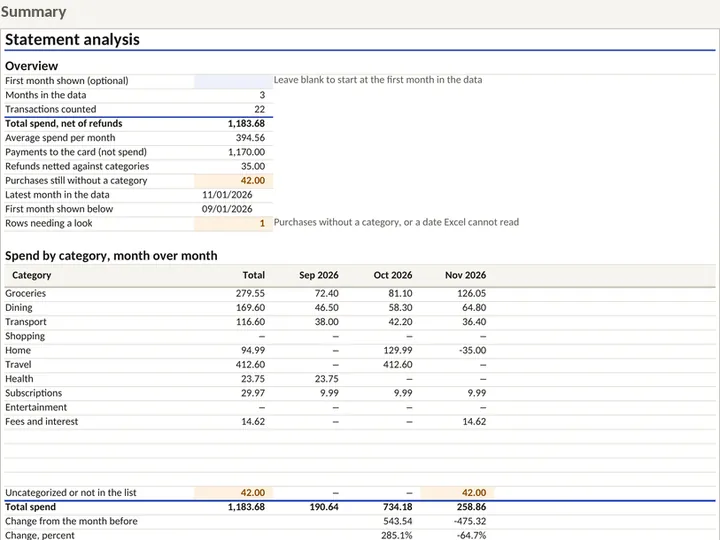
Categorize credit card transactions and compare spending by category, merchant and month.
Accepts exported transaction data
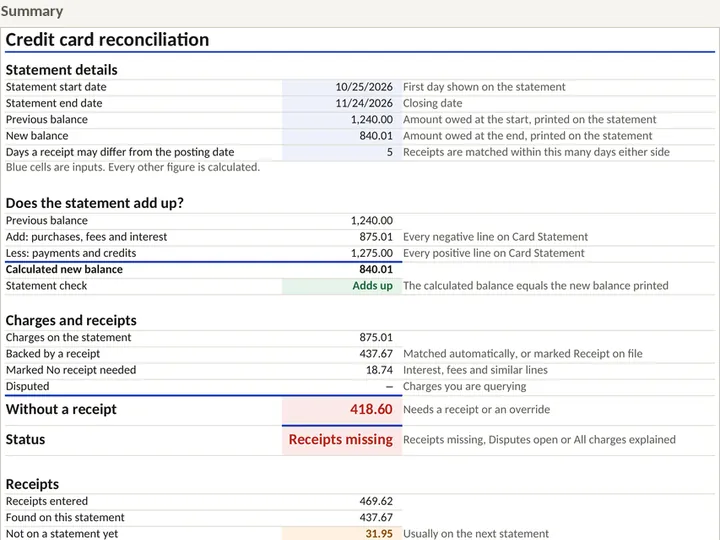
Match credit card transactions to receipts and identify missing supporting documents.
Accepts exported transaction data
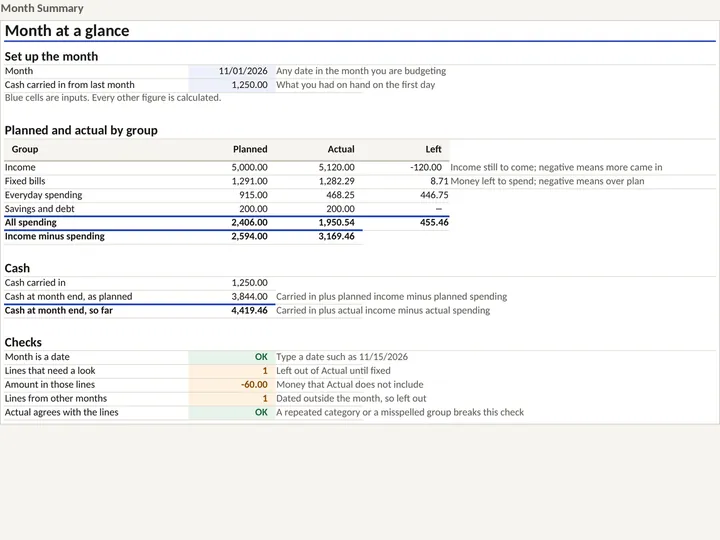
Plan monthly income and spending, compare actual results and monitor your remaining budget.
Accepts exported transaction data