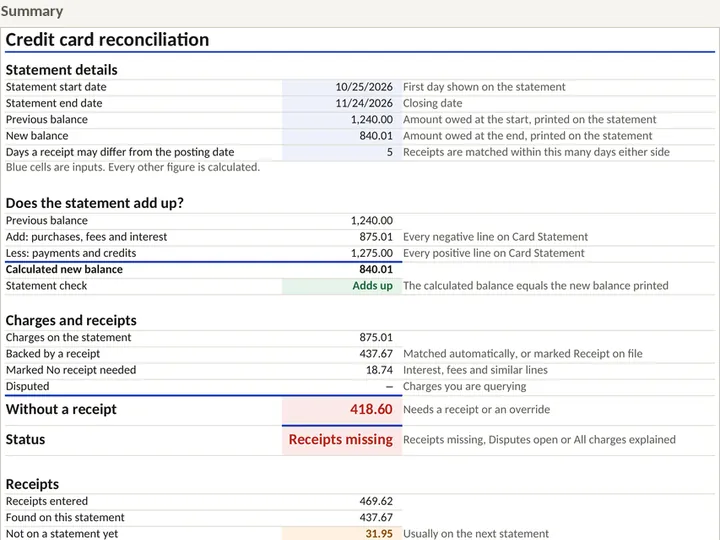
Credit Card Reconciliation Template
Match credit card transactions to receipts and identify missing supporting documents.
Accepts exported transaction data
Download .xlsx29 KB
Categorize credit card transactions and compare spending by category, merchant and month.
Download complete. Next step: Convert a statement PDF to data you can use in this template
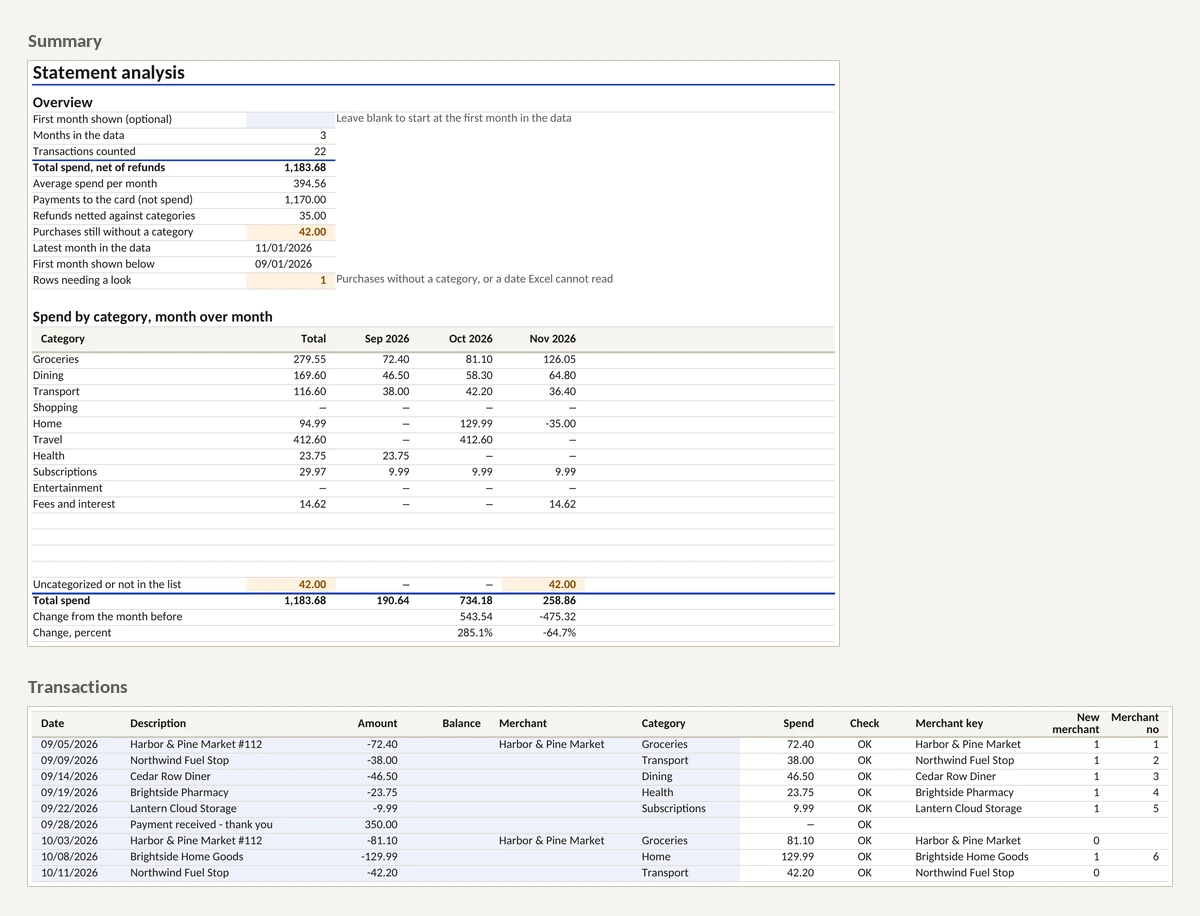
Analyze credit card spending by category, merchant and month. Paste transactions from one or more statements, assign categories and review automatically calculated summaries. Compare monthly spending, identify your largest merchants and review a six-month breakdown.
| Field | Description | Cell type |
|---|---|---|
| Amount | Purchases negative, payments and refunds positive | Input |
| Merchant | Optional standardized merchant name; uses Description if left blank | Input |
| Category | A choice from the Categories list | Input |
| Spend | A purchase as a positive number, or a refund as a negative one | Formula |
| Check | OK, Add category or Check date | Formula |
| Merchant key | The name that groups lines by merchant | Formula |
| Trend (Categories) | Up, Down, Same, New or No spend, latest month against the one before | Formula |
| Rank (Merchants) | Position by total spend, with 1 the largest | Formula |
| First month shown (Summary) | An optional start month for the six-month grid | Input |
Six columns keep it readable on one page. Type a date in First month shown on Summary to slide the window. Spend outside the window is reported under Checks, and the totals still include it.
Give the refund the category of the original purchase and it reduces that category. A positive line with no category is treated as a payment to the card and left out of spend.
Yes. Rename the samples or type new ones in the blank rows on Categories. The dropdown on Transactions reads that list. Keep it to 14 rows to see every category in the Summary grid.
Type one Merchant name on each of those lines. Lines sharing a Merchant add together on the Merchants sheet. Without it, every distinct Description counts as its own merchant.
Twenty-five. With more than that, Summary says so under Checks. Category totals and the grid stay correct either way.
License: Free for personal and commercial use. You may edit this template and use it in your own work and business, including for clients. Please don't sell or redistribute the template file itself, on its own or as part of a template pack or collection. Provided "as is", without warranty of any kind; check your own figures. © 2026 PDF to Table — https://pdftotable.app/templates/credit-card-statement-analyzer/
Version 1. Last updated November 24, 2026.
Match credit card transactions to receipts and identify missing supporting documents.
Accepts exported transaction data
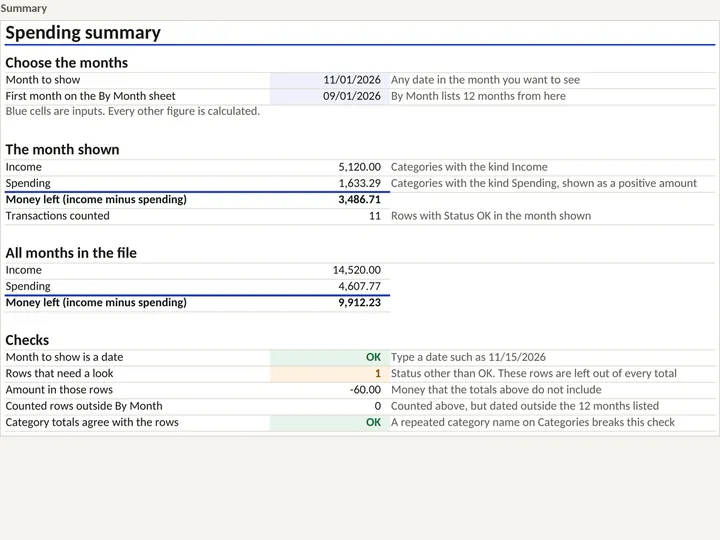
Categorize transactions to track monthly income and expenses.
Accepts exported transaction data
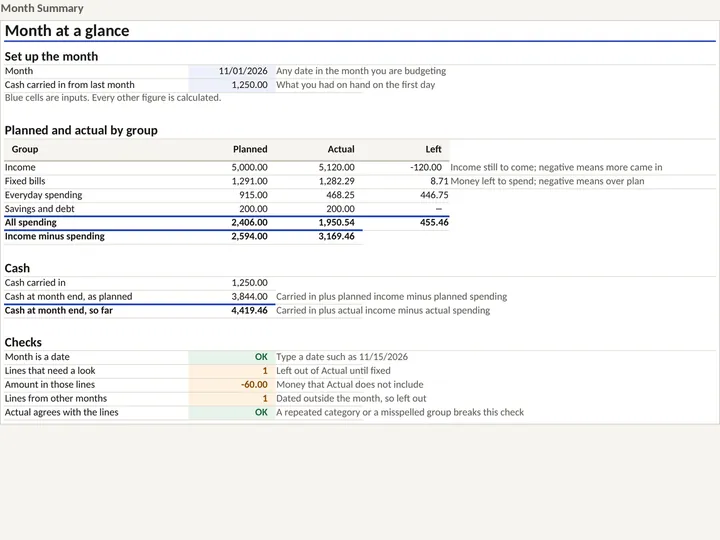
Plan monthly income and spending, compare actual results and monitor your remaining budget.
Accepts exported transaction data
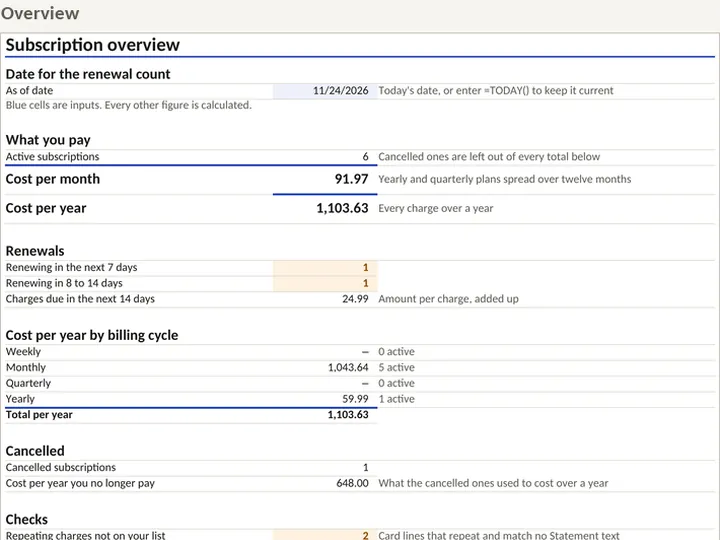
Identify recurring charges, track subscription costs and review upcoming renewals.
Accepts exported transaction data
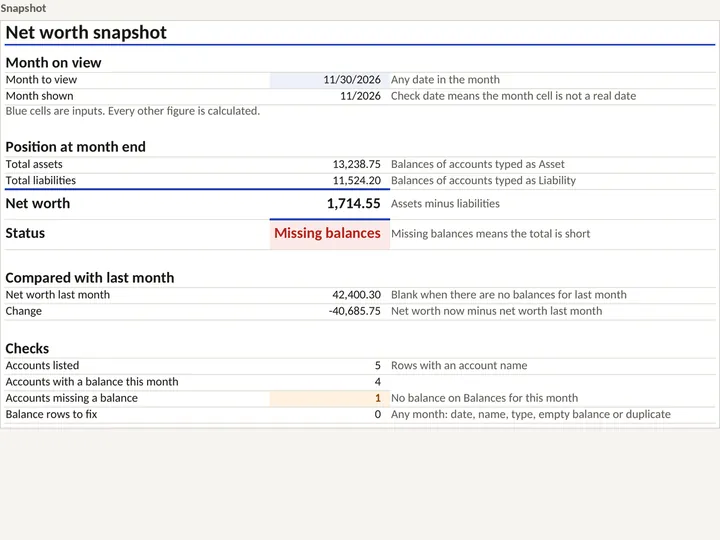
Track assets, liabilities and net worth by month, with alerts for missing account balances.
Uses figures from statements