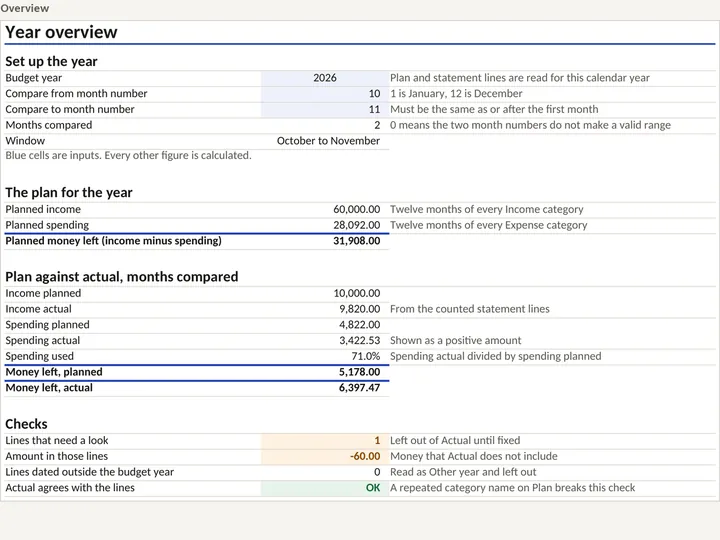
Budget Template
Plan your annual budget and compare monthly income and expenses with actual results.
Accepts exported transaction data
Download .xlsx32 KB
Categorize transactions to track monthly income and expenses.
Download complete. Next step: Convert a statement PDF to data you can use in this template
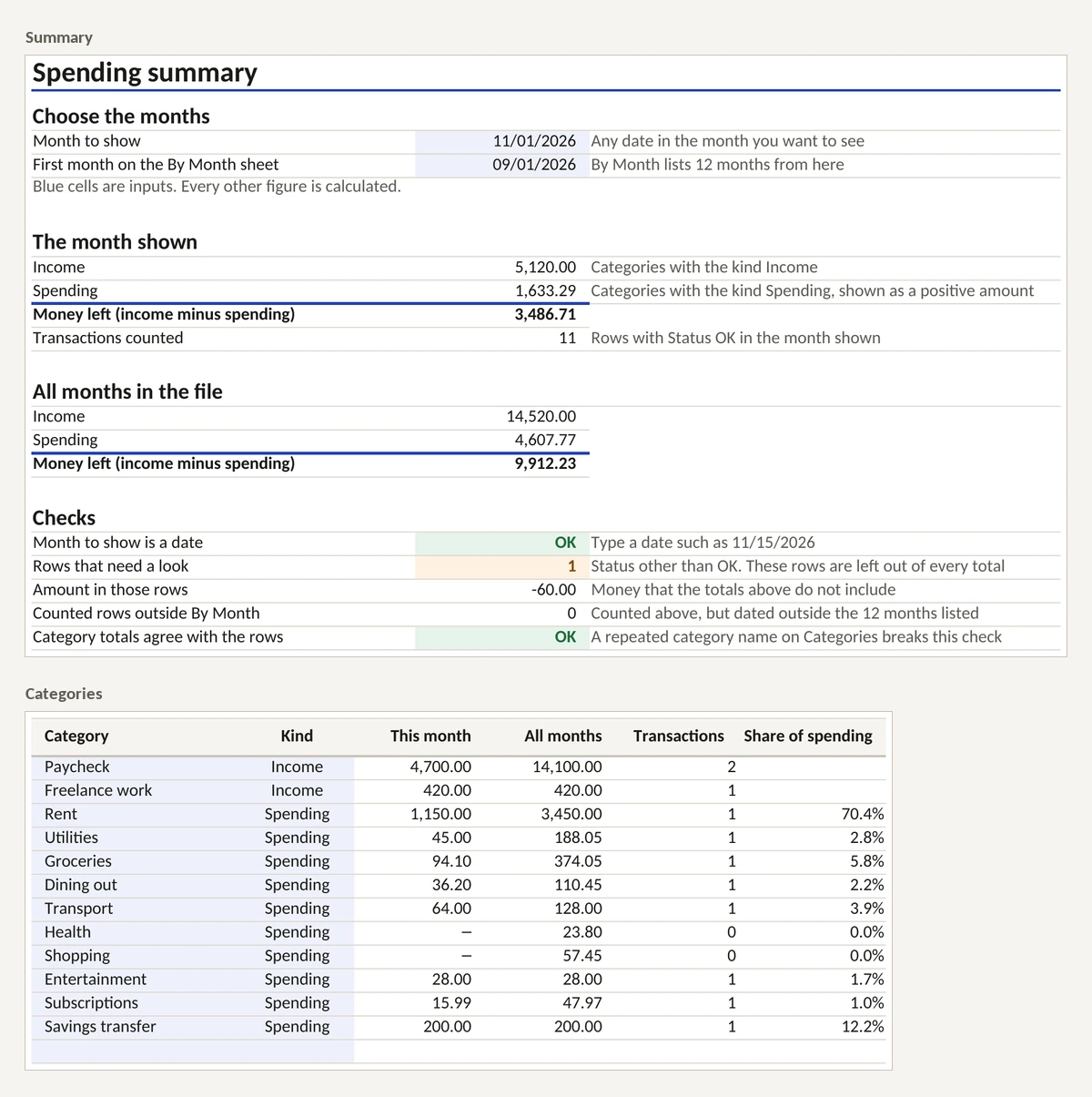
Track income and expenses by category and month. Enter or paste transactions, assign a category to each, and review automatically calculated summaries. Use the workbook to understand actual spending; it does not set budgets or spending limits.
| Field | Description | Cell type |
|---|---|---|
| Amount (Transactions) | Money in as positive, money out as negative | Input |
| Category (Transactions) | Your label for the line, chosen from the dropdown | Input |
| Month | The first day of the line's month, read from its date | Formula |
| Status | OK, or the reason a line is held back | Formula |
| Kind (Categories) | Whether a category counts as income or spending | Input |
| This month | A category's total for the month shown | Formula |
| Share of spending | A spending category's part of the month's spending | Formula |
| Month to show (Summary) | Any date inside the month you want to see | Input |
Spending is negative and income is positive, as in the converter's one-column export, which lists card purchases as money out too. Typing card amounts by hand? Enter purchases as negatives.
The Month column reads real dates and dates typed as MM/DD/YYYY. A blank cell, a placeholder such as mm/dd/yyyy or any other text shows Check date, and that row stays out of every total until you fix it.
Only transactions with an OK status are included. Pick category, Unknown category, Kind missing, Check amount and Check date indicate issues to resolve first. Summary shows the number and total amount of excluded transactions.
Type it in the next empty row of the Categories table and set its Kind. It appears in the Category dropdown on Transactions straight away.
No. This workbook records what happened and groups it. Planned amounts belong in a budget workbook.
Yes, if they share one currency, because the totals add every amount together. Give moves between your own accounts a category of their own.
License: Free for personal and commercial use. You may edit this template and use it in your own work and business, including for clients. Please don't sell or redistribute the template file itself, on its own or as part of a template pack or collection. Provided "as is", without warranty of any kind; check your own figures. © 2026 PDF to Table — https://pdftotable.app/templates/expense-tracker/
Version 1. Last updated November 24, 2026.
Plan your annual budget and compare monthly income and expenses with actual results.
Accepts exported transaction data
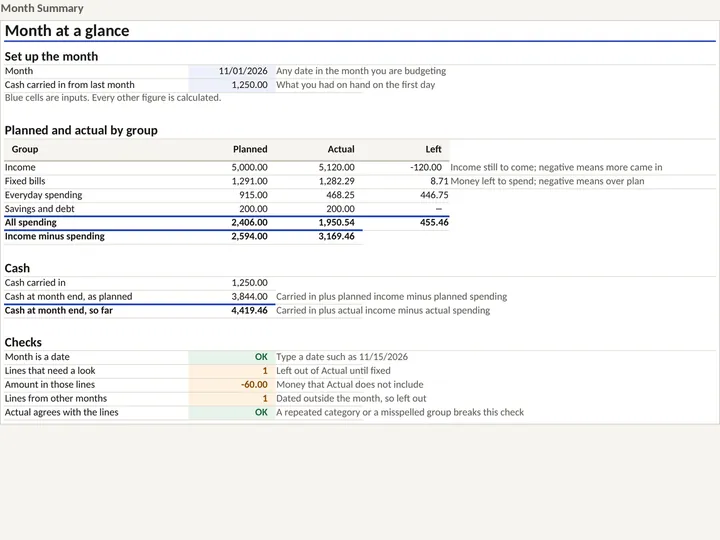
Plan monthly income and spending, compare actual results and monitor your remaining budget.
Accepts exported transaction data
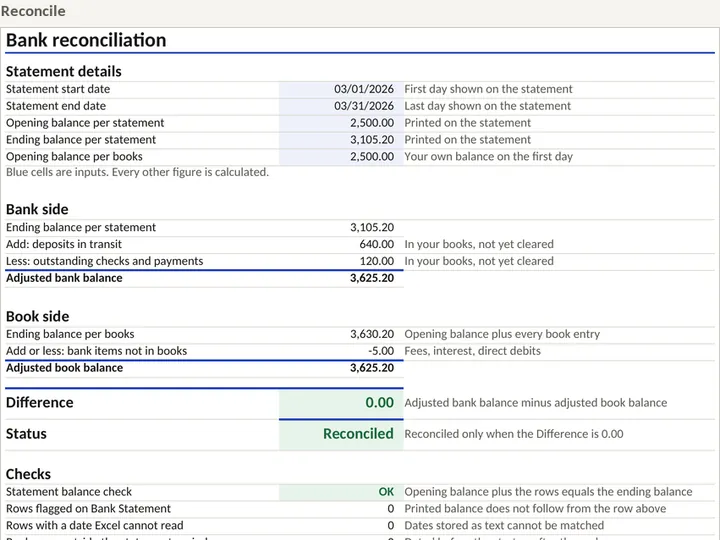
Compare your bank statement with your records and identify outstanding items and discrepancies.
Accepts exported transaction data
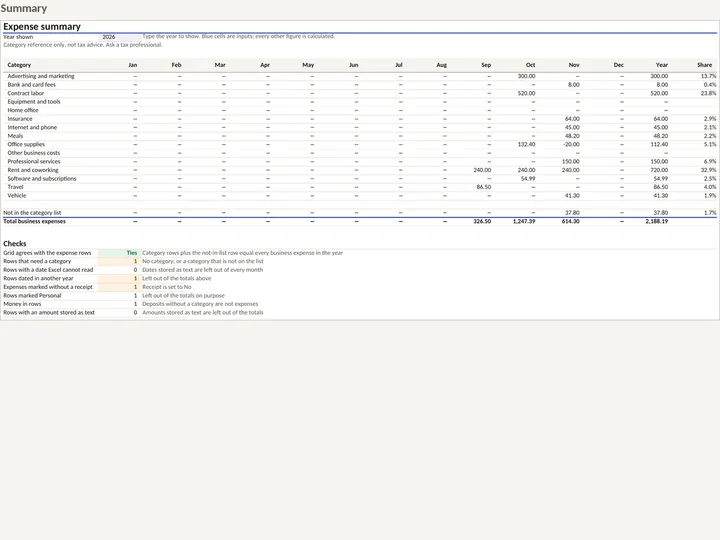
Categorize business expenses and review monthly and annual totals in one table.
Accepts exported transaction data
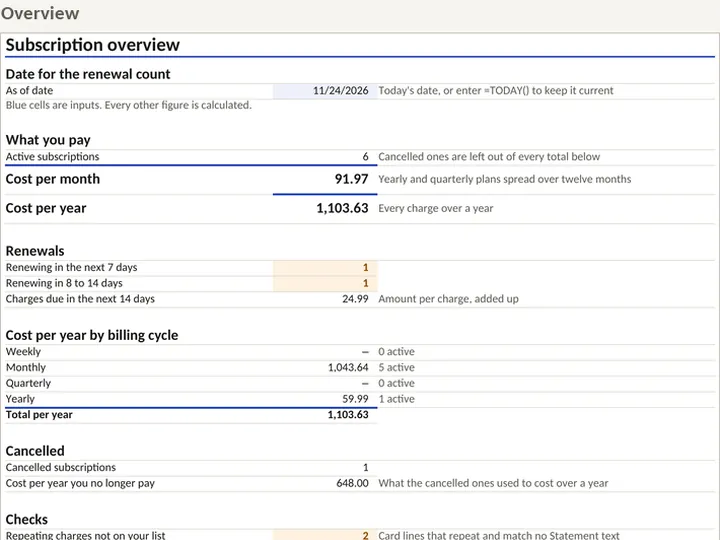
Identify recurring charges, track subscription costs and review upcoming renewals.
Accepts exported transaction data