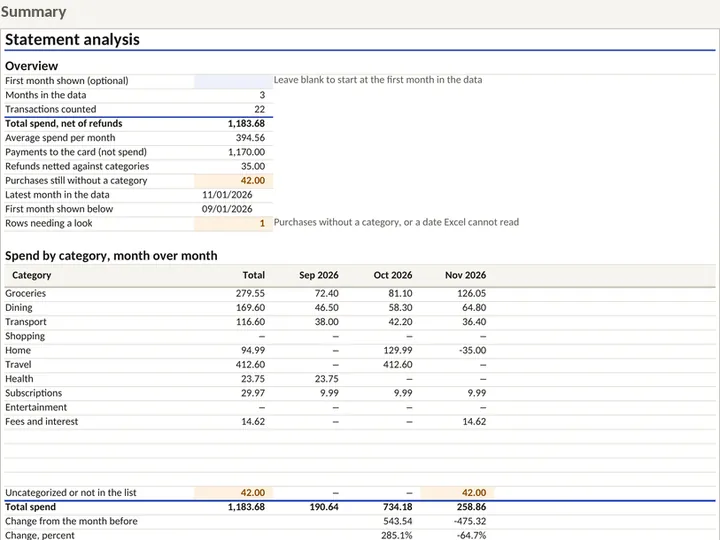
Credit Card Statement Analyzer
Categorize credit card transactions and compare spending by category, merchant and month.
Accepts exported transaction data
Download .xlsx31 KB
Identify recurring charges, track subscription costs and review upcoming renewals.
Download complete. Next step: Convert a statement PDF to data you can use in this template
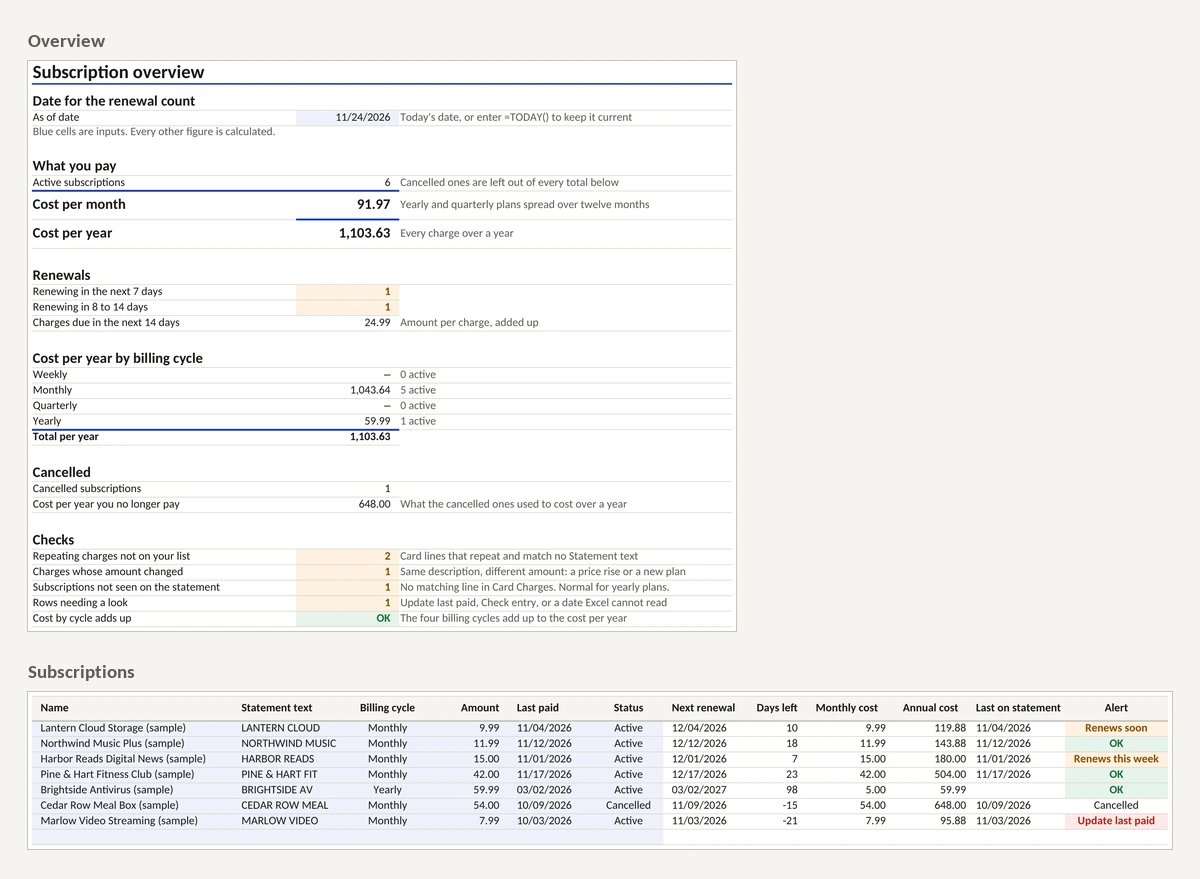
Track subscriptions using credit card transactions. Paste several months of statement data to identify recurring charges, changed amounts and subscriptions not yet on your list. Add each subscription's billing cycle to calculate monthly and annual costs and review upcoming renewals.
| Field | Description | Cell type |
|---|---|---|
| Statement text | Beginning of the transaction description used to match the subscription | Input |
| Billing cycle | Weekly, Monthly, Quarterly or Yearly | Input |
| Next renewal | One billing cycle after Last paid | Formula |
| Days left | Days from As of date to the next renewal | Formula |
| Alert | Renews this week, Renews soon, Update last paid, Check entry, Cancelled or OK | Formula |
| Pattern (Card Charges) | Repeats, Amount varies, One-off, Credit or Check date | Formula |
| Tracked | Yes when a subscription matches, Add it when a repeating charge has none | Formula |
| As of date (Overview) | The date the renewal count starts from | Input |
It looks for two lines with the same description and amount at least 20 days apart. Weekly plans repeat too fast for that, so list them by hand.
Enter the beginning of the transaction description. Matching ignores capitalization: HARBOR READS matches a description beginning Harbor Reads Digital News, regardless of the text that follows.
The same description came back with a different amount, often a price rise or a changed plan. Check the new amount and update Amount on Subscriptions.
A typed date keeps the figures steady while you work and lets you test next month's renewals. Enter =TODAY() to follow the calendar.
No. Unless your statements span a year, a yearly charge may not appear. Overview counts it under Checks as not seen, which is normal for that cycle.
License: Free for personal and commercial use. You may edit this template and use it in your own work and business, including for clients. Please don't sell or redistribute the template file itself, on its own or as part of a template pack or collection. Provided "as is", without warranty of any kind; check your own figures. © 2026 PDF to Table — https://pdftotable.app/templates/subscription-tracker/
Version 1. Last updated November 24, 2026.
Categorize credit card transactions and compare spending by category, merchant and month.
Accepts exported transaction data
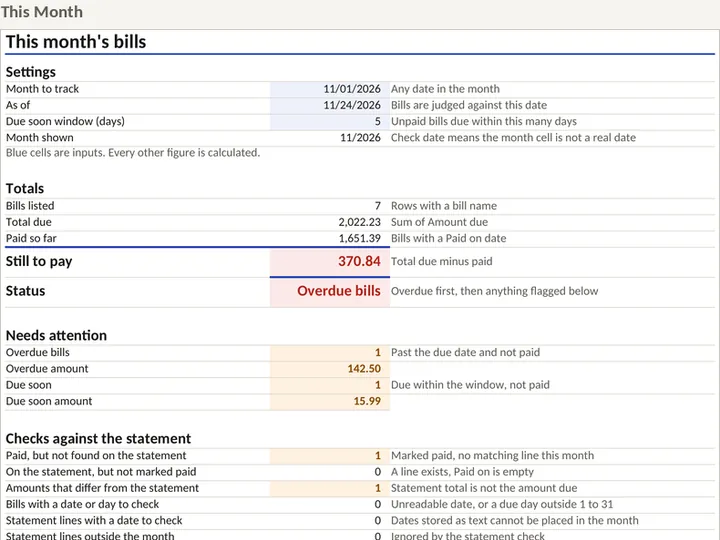
Track recurring bills, due dates and payment status, and check payments against your statements.
Uses figures from statements
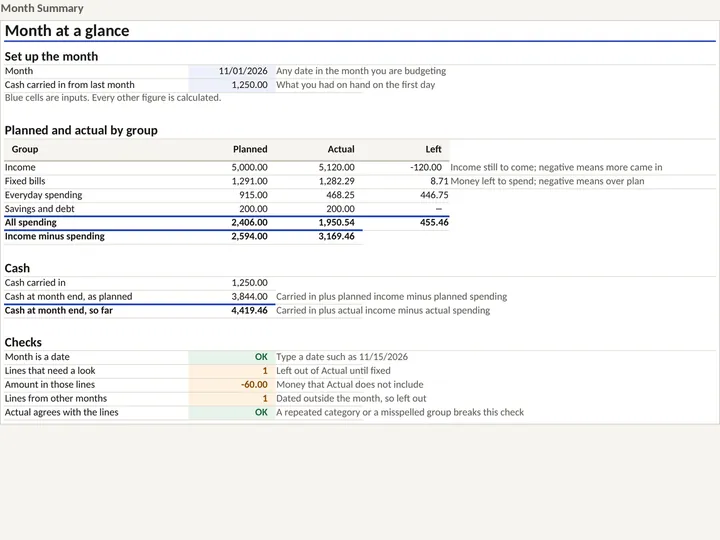
Plan monthly income and spending, compare actual results and monitor your remaining budget.
Accepts exported transaction data
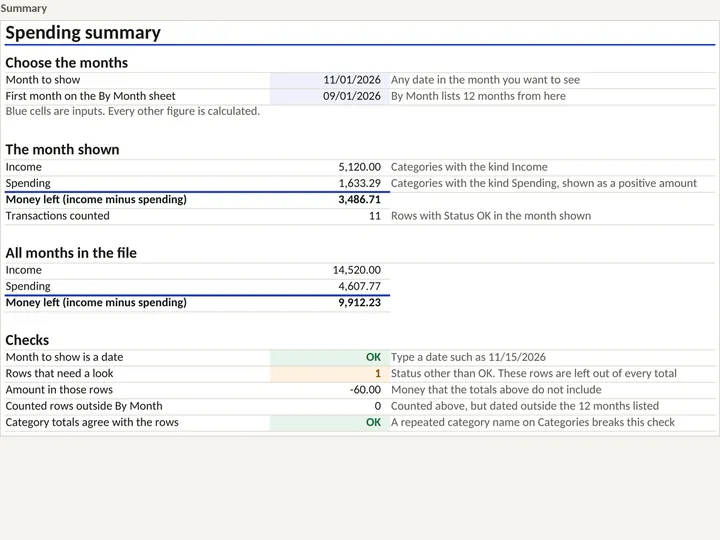
Categorize transactions to track monthly income and expenses.
Accepts exported transaction data
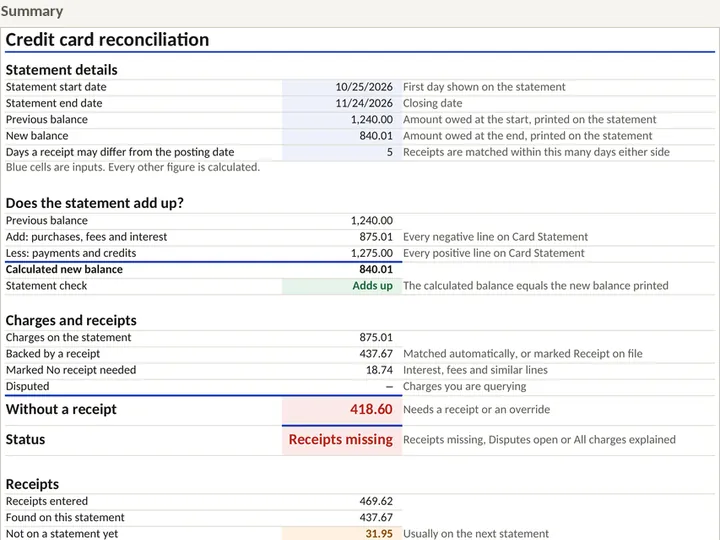
Match credit card transactions to receipts and identify missing supporting documents.
Accepts exported transaction data