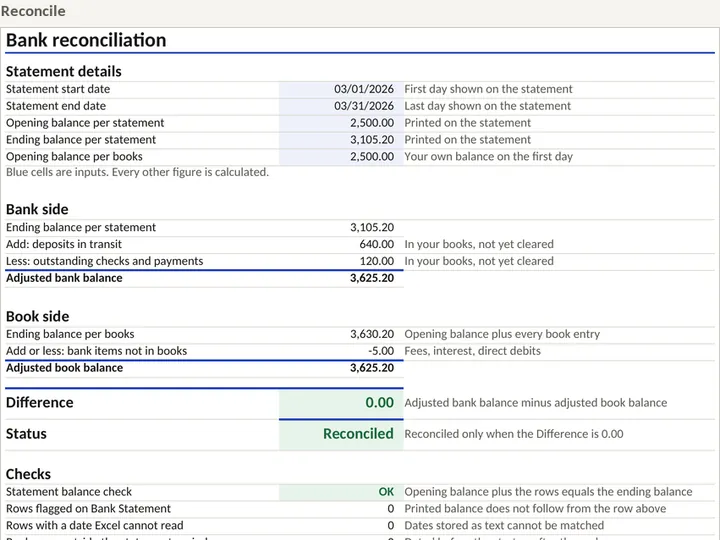
Bank Reconciliation Template
Compare your bank statement with your records and identify outstanding items and discrepancies.
Accepts exported transaction data
Download .xlsx29 KB
Match credit card transactions to receipts and identify missing supporting documents.
Download complete. Next step: Convert a statement PDF to data you can use in this template
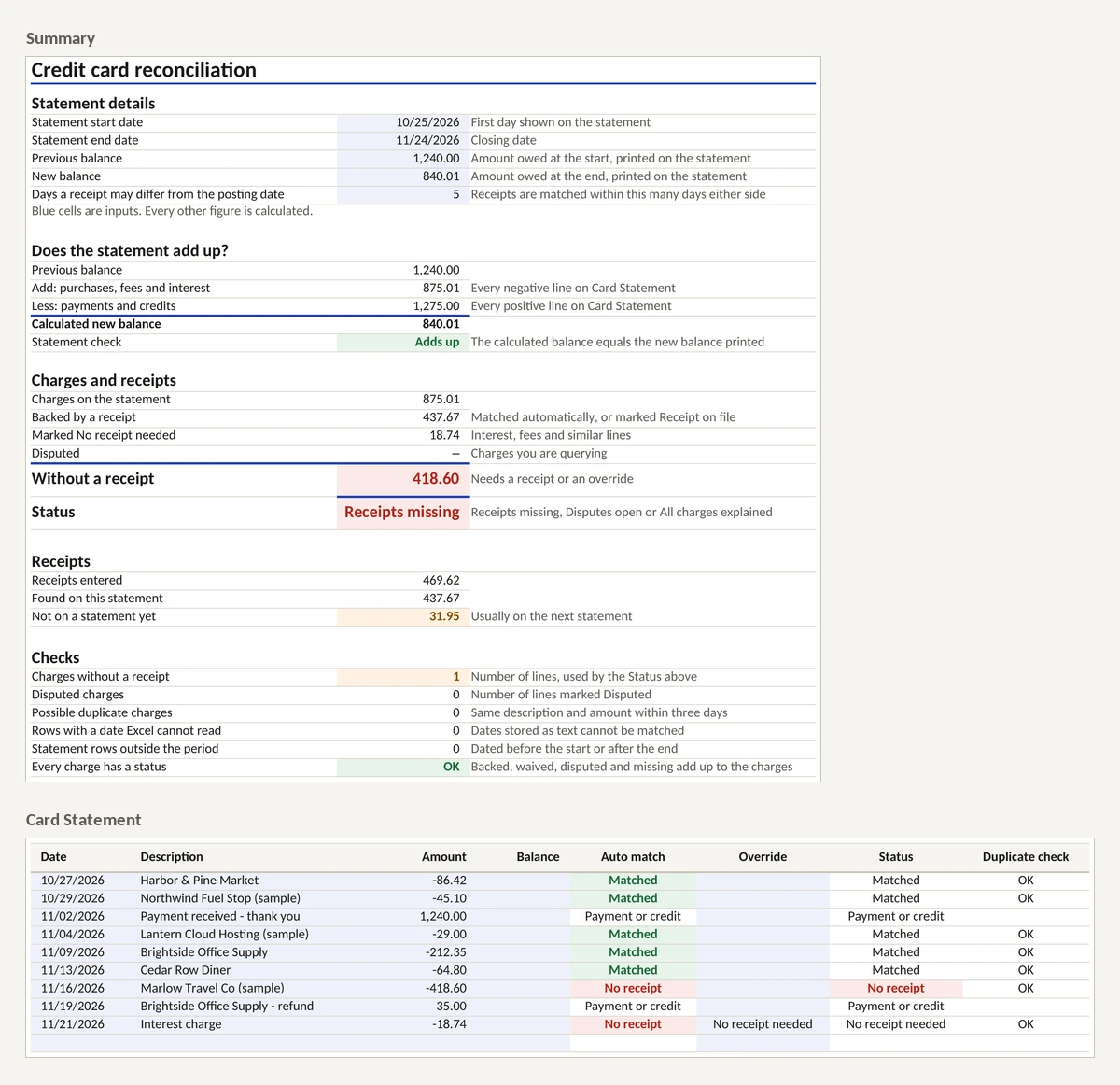
Reconcile a credit card statement with your receipts. Check the statement balance, match charges to receipts and review transactions with missing documentation. Use overrides to record exceptions such as disputed charges or transactions that do not require a receipt.
| Field | Description | Cell type |
|---|---|---|
| Amount (Card Statement) | Charges negative, payments and refunds positive | Input |
| Balance | Leave blank when the card statement has no running balance | Input |
| Auto match | Matched, No receipt, Payment or credit, or Check date | Formula |
| Override | Your own decision: Receipt on file, No receipt needed or Disputed | Input |
| Status | Your Override if you chose one, otherwise Auto match | Formula |
| Duplicate check | Possible duplicate when a description and amount repeat within three days | Formula |
| Amount (Receipts) | What you spent, as a positive number | Input |
| On statement | Yes when a charge matches the receipt, Not yet when none does | Formula |
| Days a receipt may differ (Summary) | Maximum allowed difference between receipt and posting dates | Input |
| Without a receipt (Summary) | Charges not backed, waived or disputed | Formula |
Money leaving the account is negative, as in PDF to Table's export. A purchase is negative; a payment or refund is positive. The two balances on Summary are the exception. Type them as printed, as positive amounts owed.
Yes, inside a window. Issuers often post a charge days after the purchase, so the match accepts up to five days either side. Change the number on Summary.
No. Matching is one to one. If two charges share an amount, you need two receipts, or an Override on the second line.
The receipt has no matching charge on this statement. That is normal when the purchase posts after the closing date. Look at it again next month.
Enter a refund as a positive line on Card Statement. It counts as a credit and never asks for a receipt.
License: Free for personal and commercial use. You may edit this template and use it in your own work and business, including for clients. Please don't sell or redistribute the template file itself, on its own or as part of a template pack or collection. Provided "as is", without warranty of any kind; check your own figures. © 2026 PDF to Table — https://pdftotable.app/templates/credit-card-reconciliation/
Version 1. Last updated November 24, 2026.
Compare your bank statement with your records and identify outstanding items and discrepancies.
Accepts exported transaction data
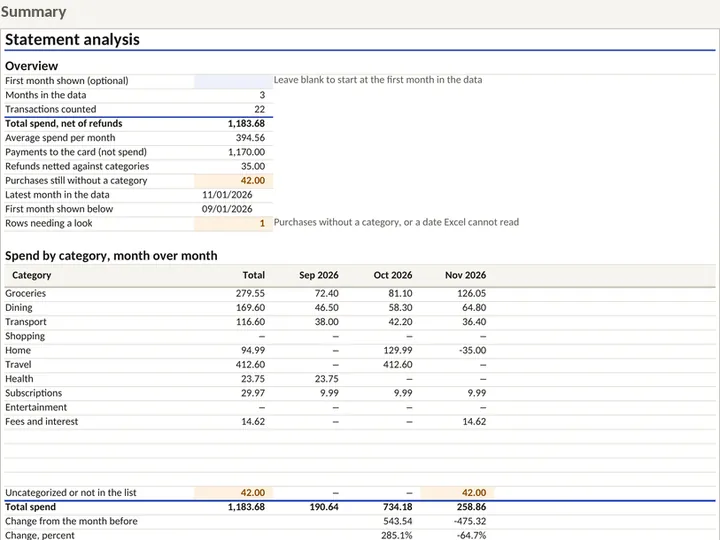
Categorize credit card transactions and compare spending by category, merchant and month.
Accepts exported transaction data
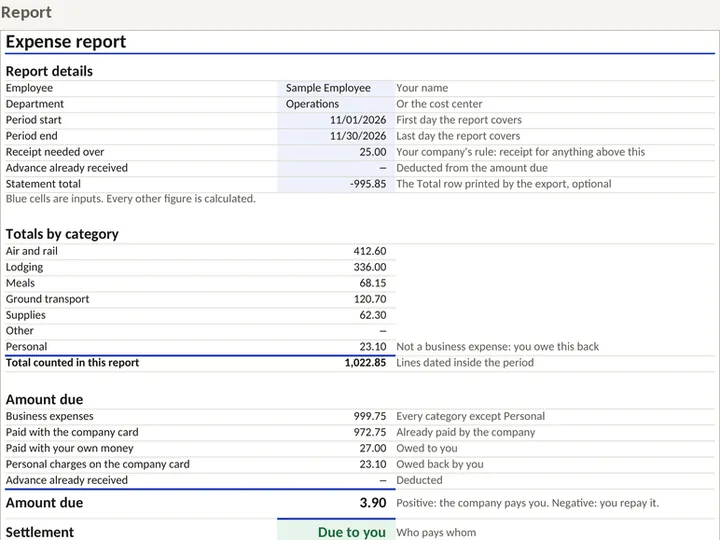
Create an itemized expense report, summarize spending by category and calculate the amount owed.
Accepts exported transaction data
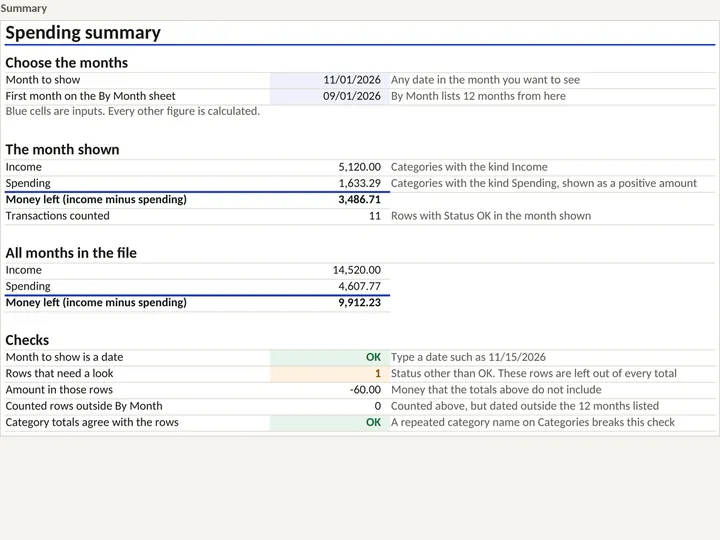
Categorize transactions to track monthly income and expenses.
Accepts exported transaction data