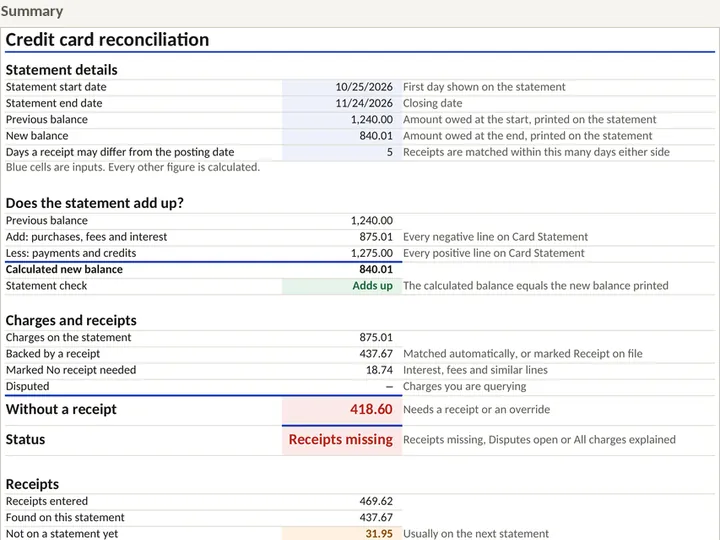
Credit Card Reconciliation Template
Match credit card transactions to receipts and identify missing supporting documents.
Accepts exported transaction data
Download .xlsx29 KB
Create an itemized expense report, summarize spending by category and calculate the amount owed.
Download complete. Next step: Convert a statement PDF to data you can use in this template
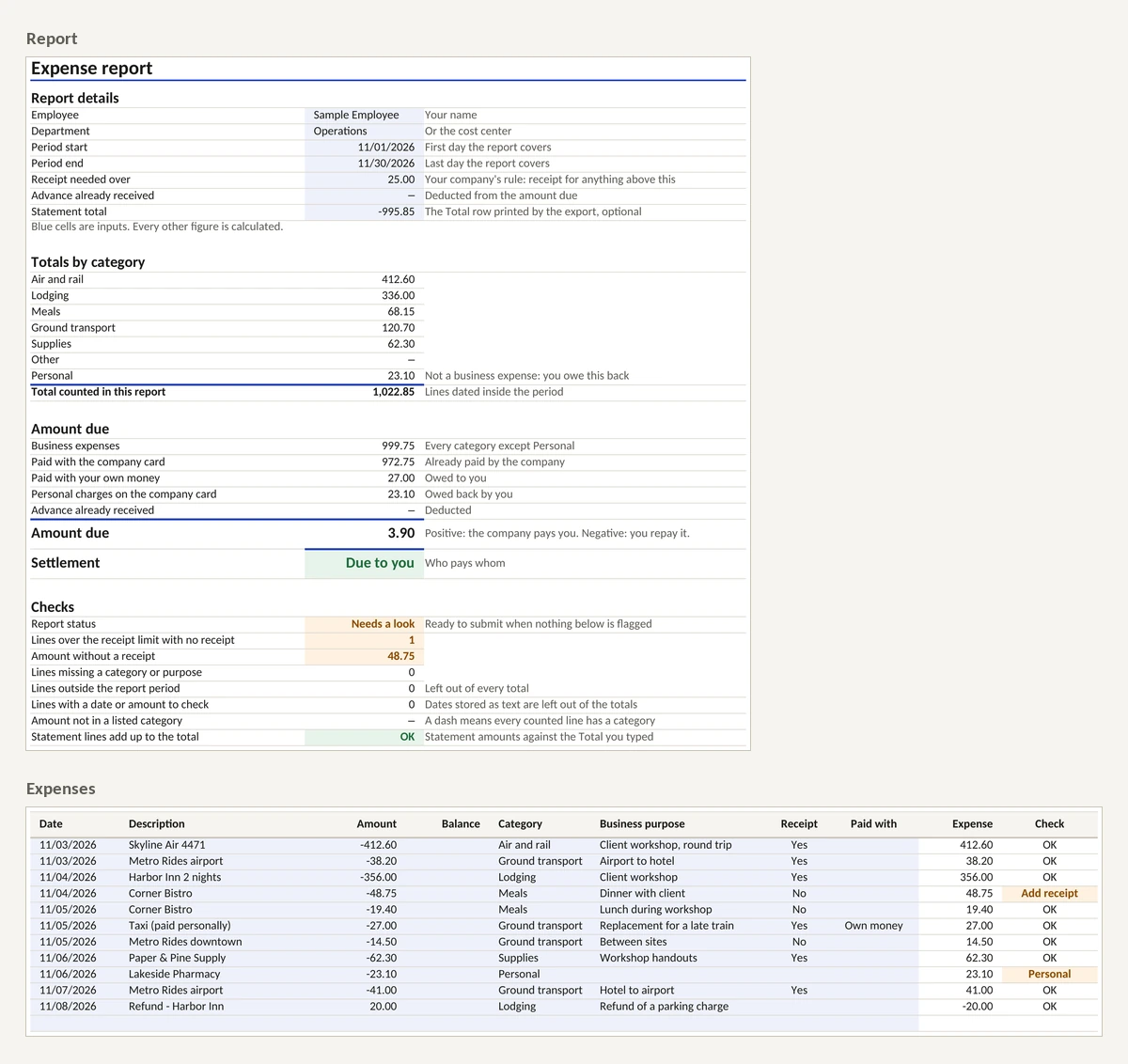
Prepare an expense report from company card transactions and expenses paid personally. Add a category, business purpose and receipt status for each item. The workbook summarizes business expenses, separates personal charges and calculates whether the company owes you a reimbursement or you owe a repayment.
| Field | Description | Cell type |
|---|---|---|
| Amount (Expenses) | The statement amount: charges negative, refunds positive | Input |
| Category | What the spending was for, or Personal | Input |
| Business purpose | Business reason for the expense | Input |
| Receipt | Yes when you have one | Input |
| Paid with | Blank for the company card, Own money otherwise | Input |
| Expense | The amount as a positive figure, only inside the period | Formula |
| Check | OK, or what the line still needs | Formula |
| Receipt needed over (Report) | Your company's limit | Input |
| Amount due | Own money minus personal charges minus advance | Formula |
| Report status | Ready to submit or Needs a look | Formula |
Amount due is what you paid with your own money, minus personal items that landed on the company card, minus any advance. Positive means the company pays you. Negative means you repay the company.
Set its Category to Personal. It stays out of business expenses, shows under Personal on the Report, and counts as money you owe back.
Add a row under the statement lines, enter the amount as a negative number like the other lines, and set Paid with to Own money. The company owes you that amount.
It is a number you type in, taken from your own company's policy. Any line above it without Receipt set to Yes reads Add receipt. The workbook applies no rule of its own.
Only lines dated inside the report period are counted. A line outside it reads Outside period. A date stored as text reads Check date. Fix the date and the line counts.
It is optional. Type the Total that the PDF export prints and the Report confirms that the pasted rows add up to it, which catches a missing or doubled row.
License: Free for personal and commercial use. You may edit this template and use it in your own work and business, including for clients. Please don't sell or redistribute the template file itself, on its own or as part of a template pack or collection. Provided "as is", without warranty of any kind; check your own figures. © 2026 PDF to Table — https://pdftotable.app/templates/expense-report/
Version 1. Last updated November 24, 2026.
Match credit card transactions to receipts and identify missing supporting documents.
Accepts exported transaction data
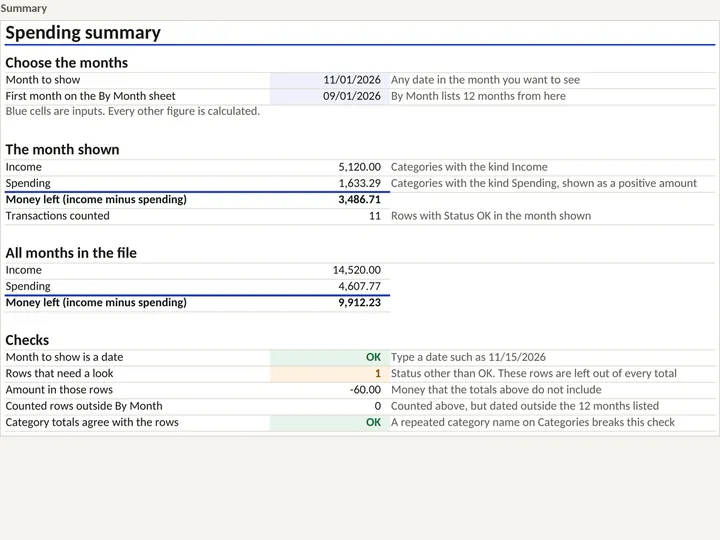
Categorize transactions to track monthly income and expenses.
Accepts exported transaction data
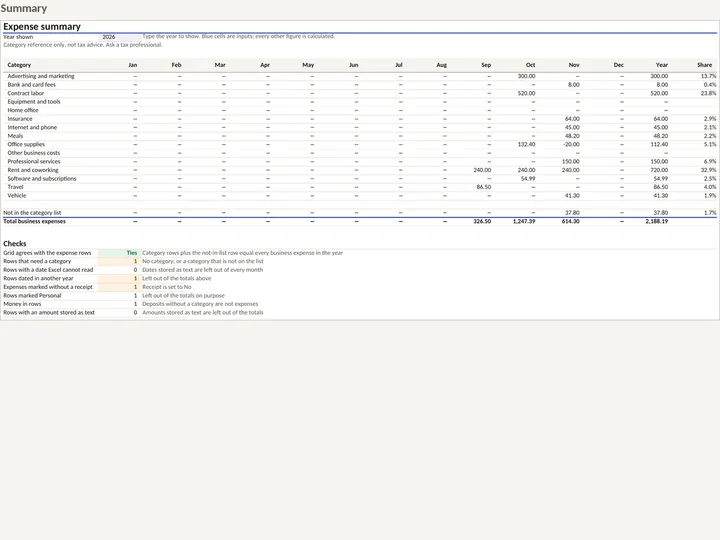
Categorize business expenses and review monthly and annual totals in one table.
Accepts exported transaction data
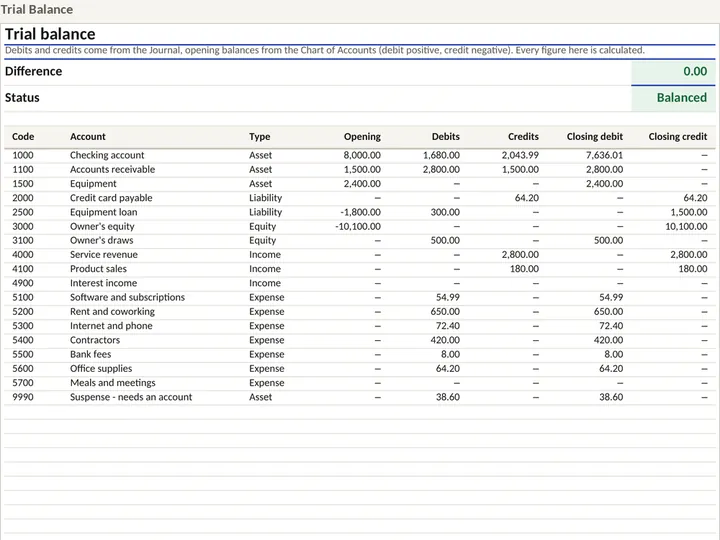
Categorize bank transactions to generate journal entries, account balances and a trial balance.
Accepts exported transaction data
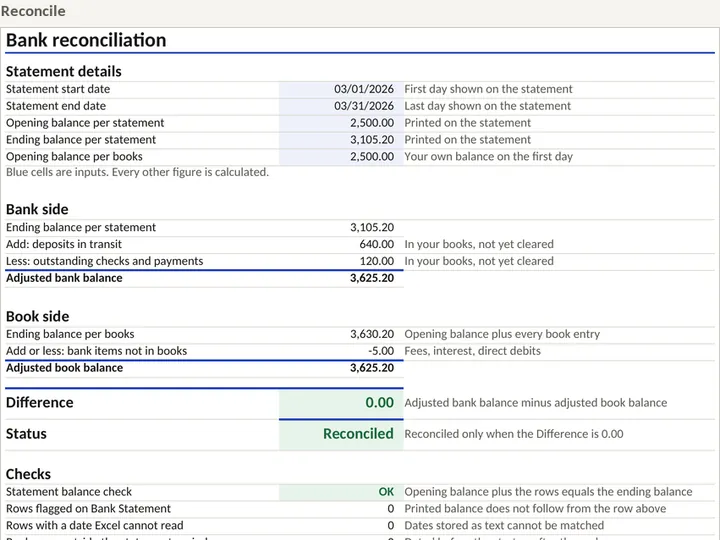
Compare your bank statement with your records and identify outstanding items and discrepancies.
Accepts exported transaction data