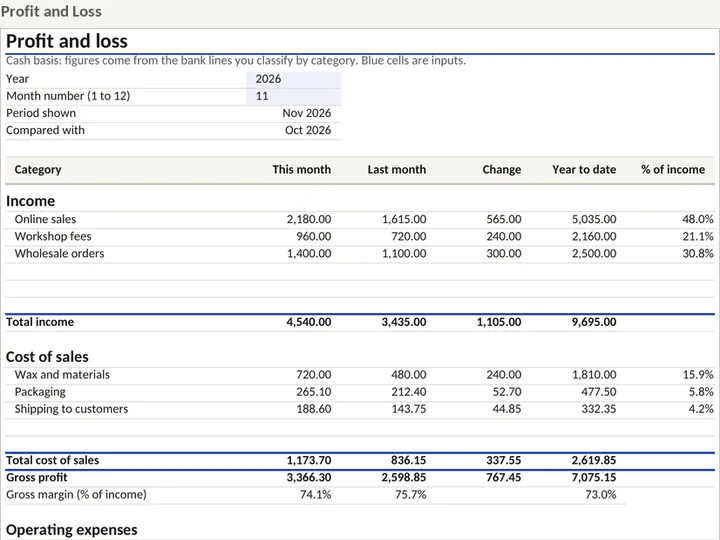
Profit and Loss Template
Prepare a monthly cash-basis profit and loss report from categorized bank transactions.
Accepts exported transaction data
Download .xlsx24 KB
Group cash receipts and payments by activity, then reconcile closing cash with your bank statement.
Download complete. Next step: Convert a statement PDF to data you can use in this template
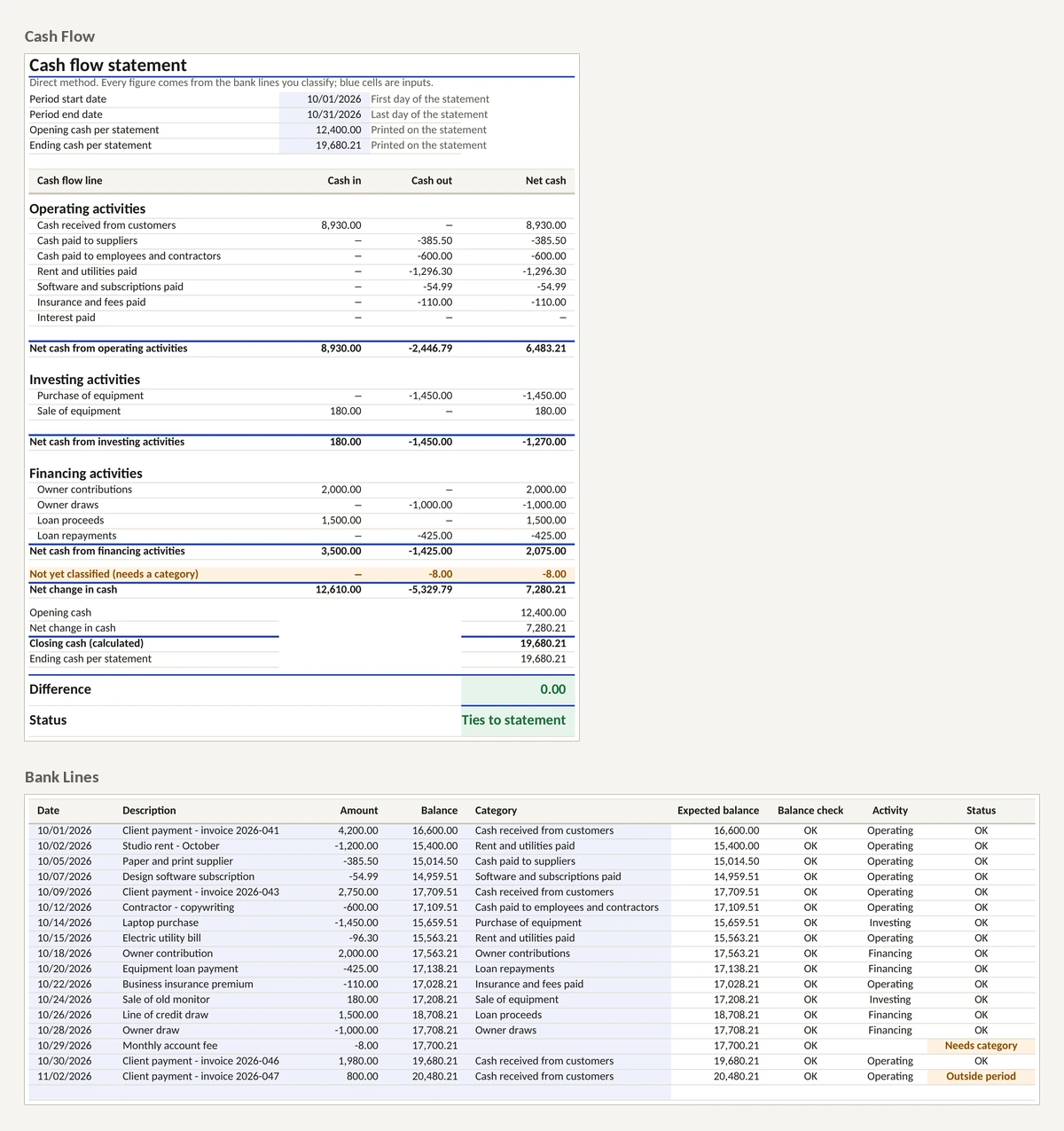
Prepare a direct-method cash flow statement from categorized bank transactions. Group receipts and payments into operating, investing and financing activities, calculate net cash flow, and reconcile closing cash with your bank statement.
| Field | Description | Cell type |
|---|---|---|
| Period start date, Period end date | The days the statement covers | Input |
| Opening cash, Ending cash | The balances printed on the statement | Input |
| Date, Description, Amount, Balance | A statement line as exported | Input |
| Category | The cash flow line item assigned to the transaction | Input |
| Activity | Operating, Investing or Financing for the category | Formula |
| Expected balance, Balance check | Calculated running balance and comparison with the statement balance | Formula |
| Status | Whether the line is counted, and if not why | Formula |
| Cash in, Cash out, Net cash | Cash received, cash paid and the net cash flow | Formula |
| Closing cash and Difference | Opening cash plus net cash flow, and its difference from the statement balance | Formula |
It lists cash actually received and paid, such as money from customers and money paid to suppliers. The indirect method starts from profit and adjusts it. Bank lines suit the direct method.
Operating is everyday business cash. Investing is buying or selling equipment and similar assets. Financing is loans and money moved between you and the business.
Read the checks under the status. Usual causes are lines dated outside the period, an unreadable date, a line with no category, a wrong opening figure or a statement row that was misread.
Lines with no usable category sit there, so the totals stay whole while you work. The row turns amber until every line has a category.
The line is dated before the first day or after the last day you entered, so it is not counted. Change the dates if the line belongs in this statement.
License: Free for personal and commercial use. You may edit this template and use it in your own work and business, including for clients. Please don't sell or redistribute the template file itself, on its own or as part of a template pack or collection. Provided "as is", without warranty of any kind; check your own figures. © 2026 PDF to Table — https://pdftotable.app/templates/cash-flow-statement/
Version 1. Last updated November 24, 2026.
Prepare a monthly cash-basis profit and loss report from categorized bank transactions.
Accepts exported transaction data
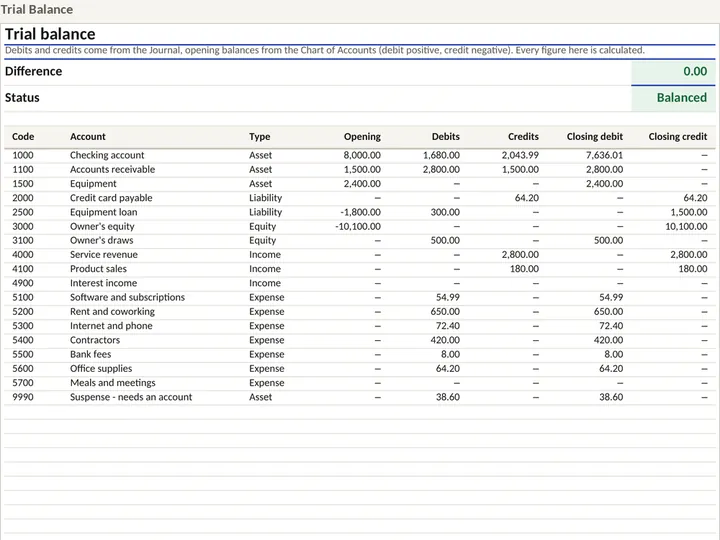
Categorize bank transactions to generate journal entries, account balances and a trial balance.
Accepts exported transaction data
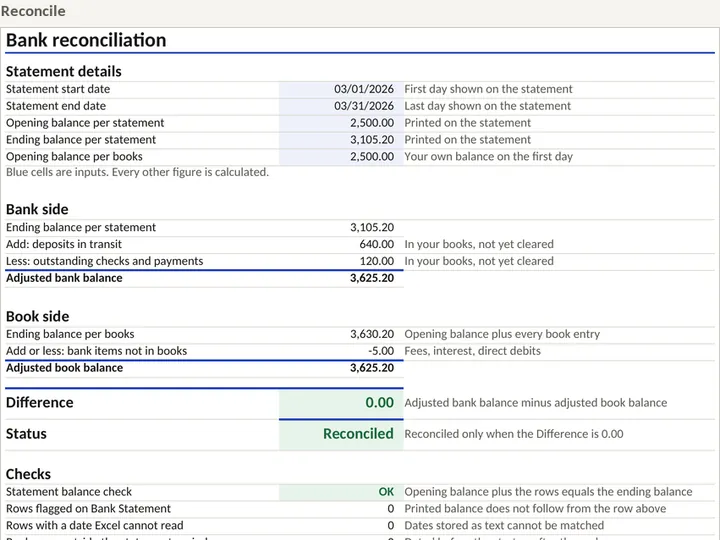
Compare your bank statement with your records and identify outstanding items and discrepancies.
Accepts exported transaction data
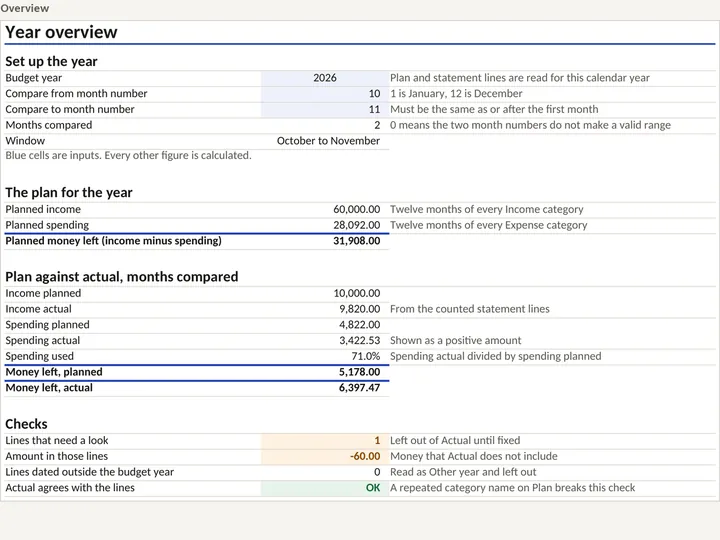
Plan your annual budget and compare monthly income and expenses with actual results.
Accepts exported transaction data
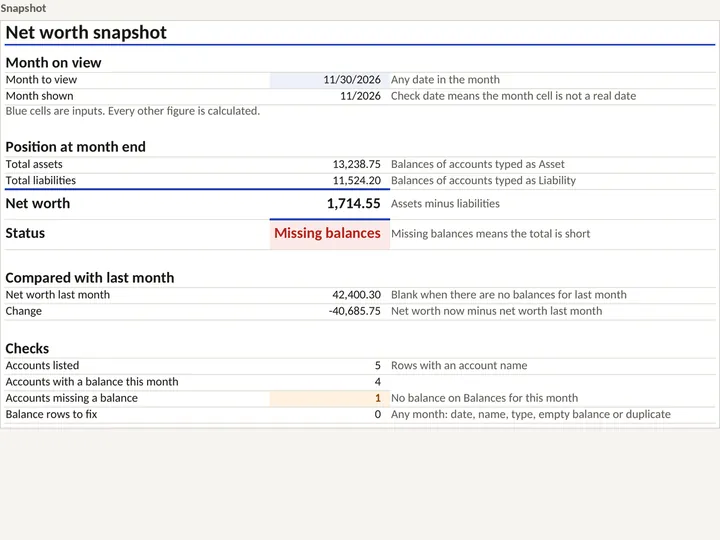
Track assets, liabilities and net worth by month, with alerts for missing account balances.
Uses figures from statements