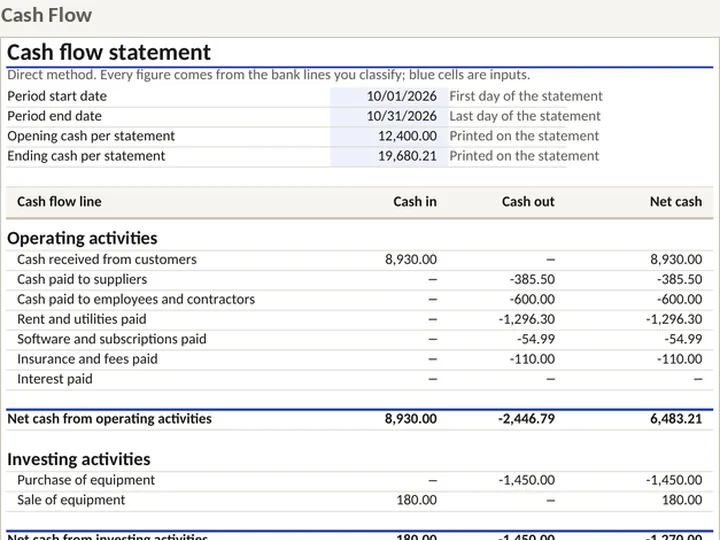
Cash Flow Statement Template
Group cash receipts and payments by activity, then reconcile closing cash with your bank statement.
Accepts exported transaction data
Download .xlsx23 KB
Prepare a monthly cash-basis profit and loss report from categorized bank transactions.
Download complete. Next step: Convert a statement PDF to data you can use in this template
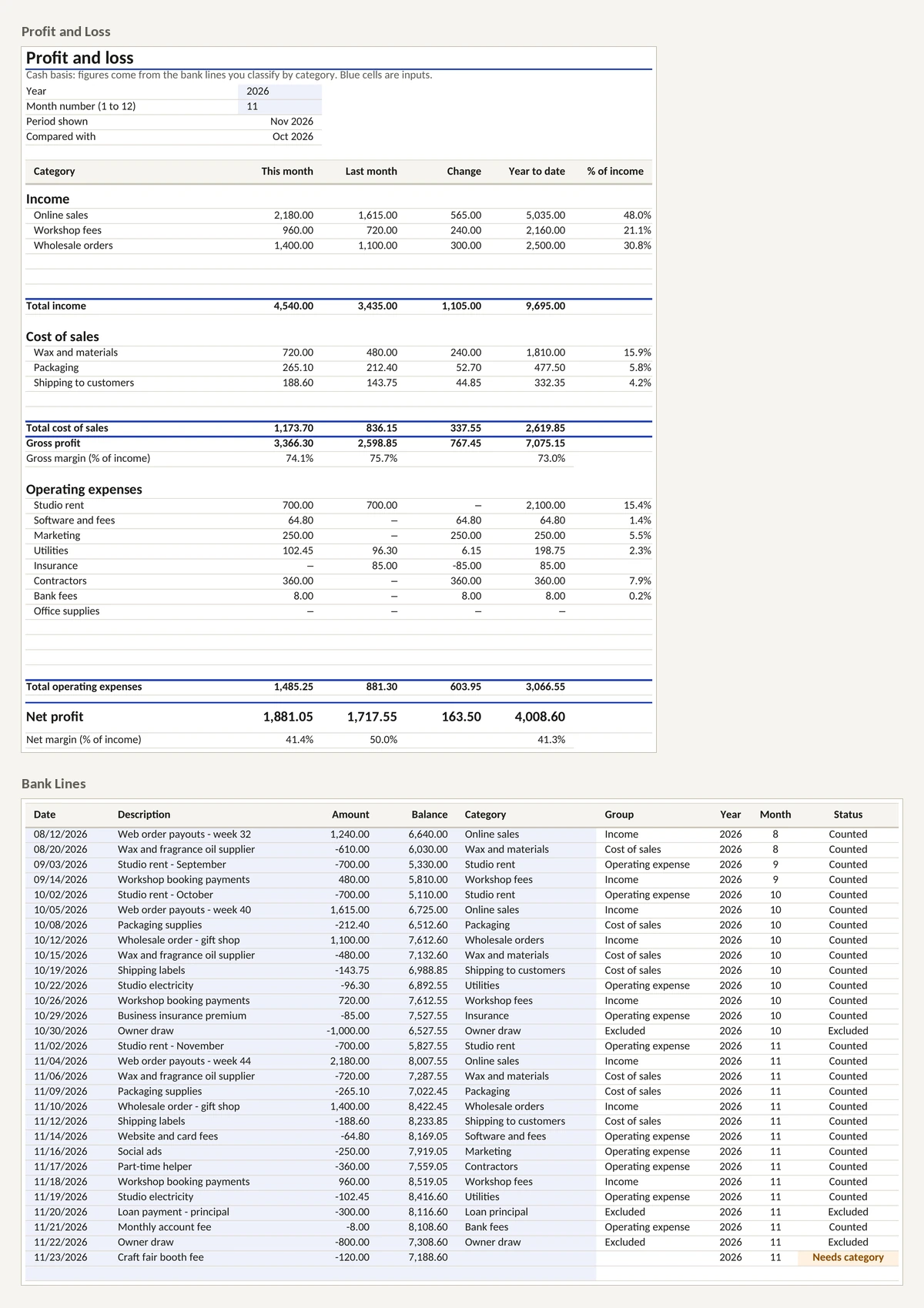
Prepare a cash-basis profit and loss report for a small business using categorized bank transactions. Group transactions into income, cost of sales and operating expenses, compare the month with the previous month, and review year-to-date totals. Reconciliation checks compare the report with the bank activity included.
| Field | Description | Cell type |
|---|---|---|
| Year, Month number | The month the report shows | Input |
| Date, Description, Amount, Balance | A statement line as exported | Input |
| Category (Bank Lines) | The category you choose for the line | Input |
| Category, Group (Categories) | One category and where it belongs | Input |
| Group, Year, Month, Status | Category group, transaction year and month, and any issue requiring review | Formula |
| Key | A number for each category inside its group | Formula |
| This month, Last month, Year to date | The amount for each category | Formula |
| Net profit | Gross profit minus operating expenses | Formula |
| Net movement on the bank lines | Net total of bank transactions dated within the selected month | Formula |
Cash. It reports what moved through the bank in the month. An invoice you sent but have not been paid for, or a bill you have not paid yet, does not appear until the money moves.
Assign owner draws and loan principal repayments to a category in the Excluded group. They affect cash but are not operating income or expenses. If a payment includes interest, separate it from principal and classify it in the appropriate expense category.
Net profit, plus the Excluded lines, plus lines without a usable category, equals the net movement on the bank lines for that month. If it says Check, something is missing from the report.
Up to 6 income, 5 cost of sales and 12 operating expense rows, in the order they appear on Categories. A full group is flagged on Categories and counted in the checks.
Change the month number, and the year if needed. January compares itself with December of the year before.
License: Free for personal and commercial use. You may edit this template and use it in your own work and business, including for clients. Please don't sell or redistribute the template file itself, on its own or as part of a template pack or collection. Provided "as is", without warranty of any kind; check your own figures. © 2026 PDF to Table — https://pdftotable.app/templates/profit-and-loss/
Version 1. Last updated November 24, 2026.
Group cash receipts and payments by activity, then reconcile closing cash with your bank statement.
Accepts exported transaction data
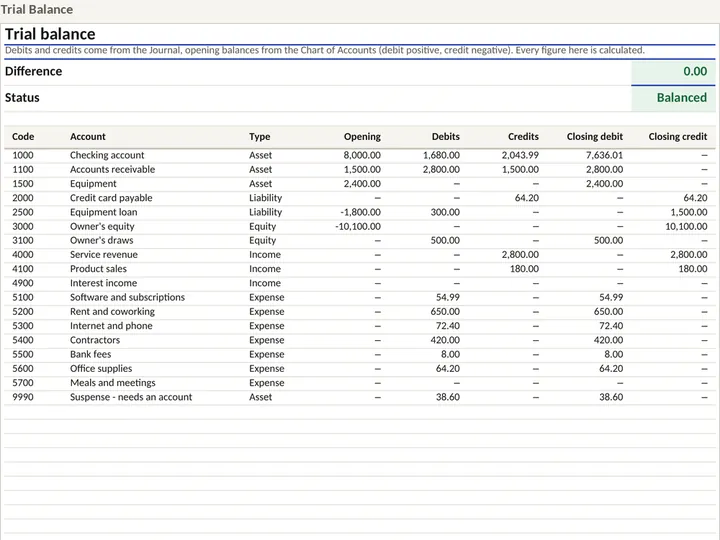
Categorize bank transactions to generate journal entries, account balances and a trial balance.
Accepts exported transaction data
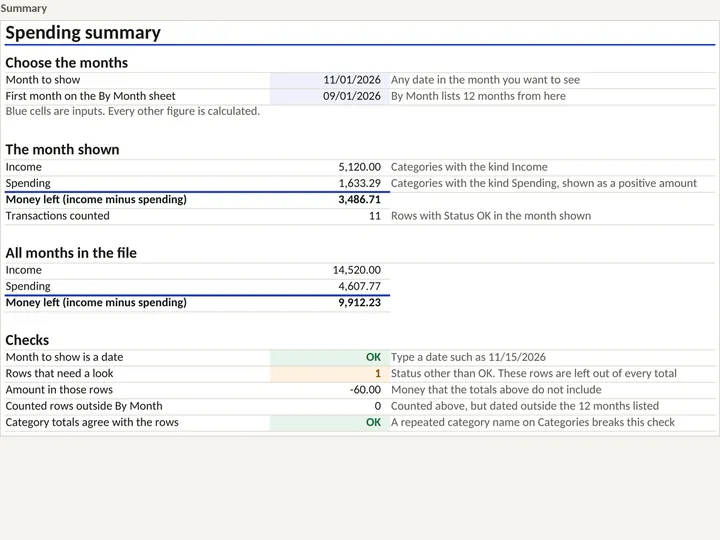
Categorize transactions to track monthly income and expenses.
Accepts exported transaction data
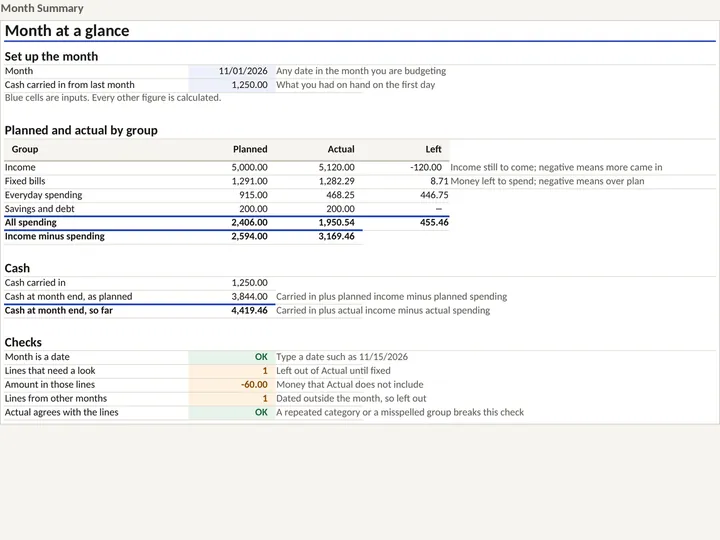
Plan monthly income and spending, compare actual results and monitor your remaining budget.
Accepts exported transaction data
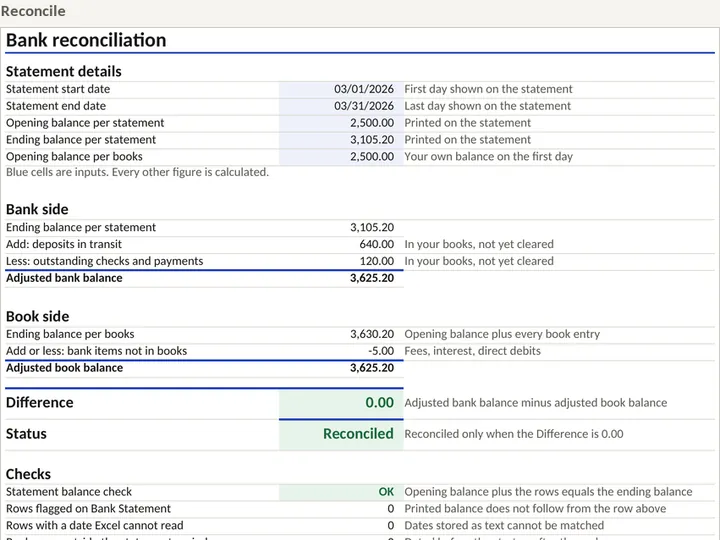
Compare your bank statement with your records and identify outstanding items and discrepancies.
Accepts exported transaction data