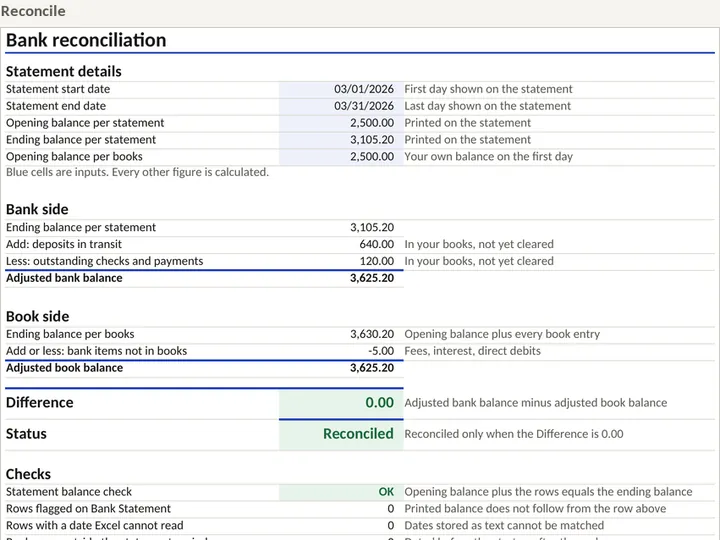
Bank Reconciliation Template
Compare your bank statement with your records and identify outstanding items and discrepancies.
Accepts exported transaction data
Download .xlsx29 KB
Track issued invoices, overdue balances and payments matched to bank deposits.
Download complete. Next step: Convert a statement PDF to data you can use in this template
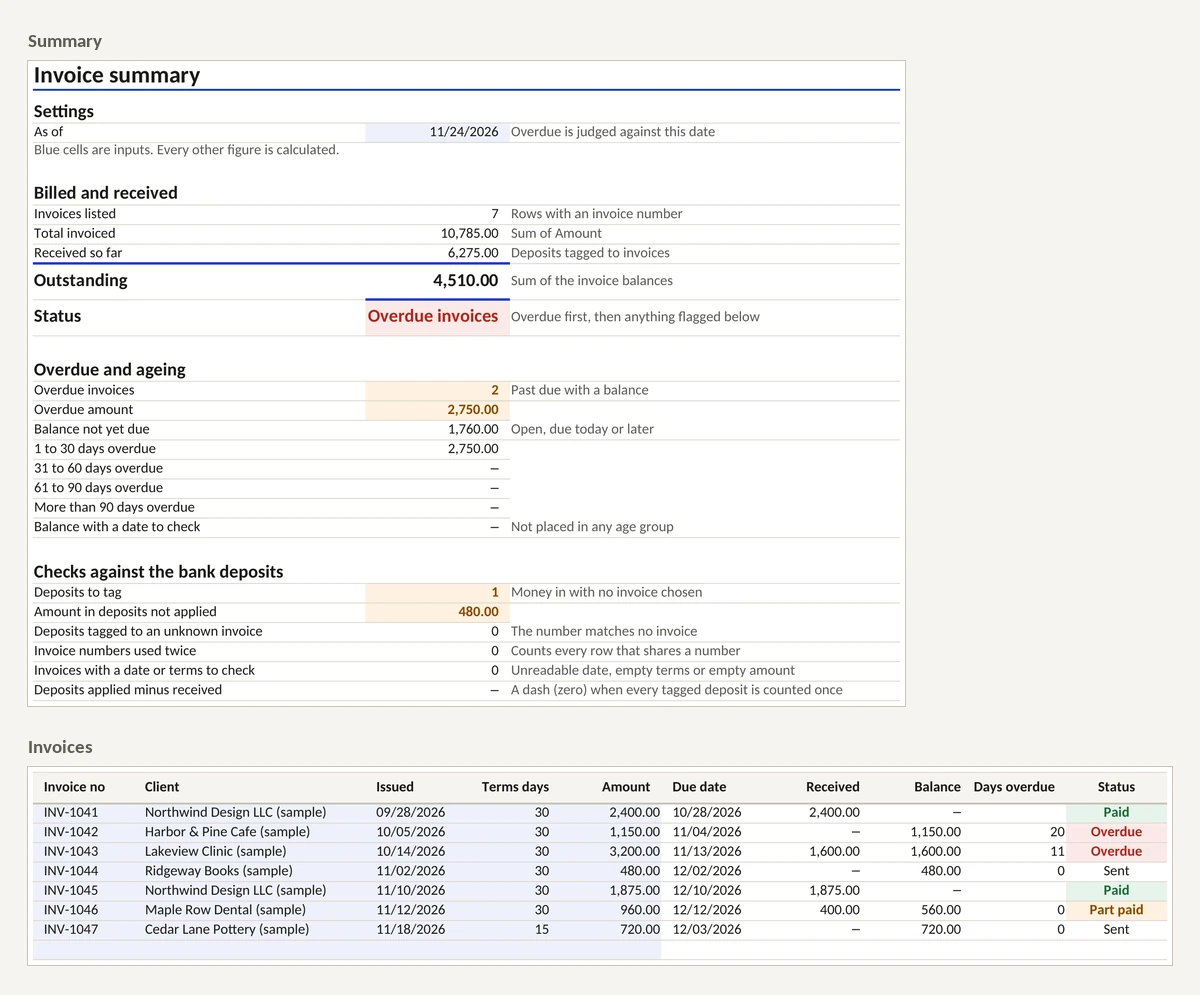
Track accounts receivable in Excel. Record issued invoices, payment terms and amounts, then match bank deposits to invoice numbers. The workbook calculates due dates, outstanding balances and overdue days, and updates payment status from the deposits you assign.
| Field | Description | Cell type |
|---|---|---|
| Terms days | Days allowed to pay, counted from the issue date | Input |
| Amount | Invoice total | Input |
| Invoice no (Deposits) | The invoice this deposit paid | Input |
| Due date | Issue date plus the terms | Formula |
| Received | Deposits tagged with this invoice number | Formula |
| Balance | Amount minus received | Formula |
| Days overdue | Days past the due date, while a balance remains | Formula |
| Status | Paid, Part paid, Sent, Overdue or Overpaid | Formula |
| Suggested invoice | The invoice whose amount equals the deposit | Formula |
| Check | Applied, Tag it, Unassigned or Unknown invoice | Formula |
Not by typing a status. You tag a bank deposit with the invoice number on Deposits, and the invoice picks up that money as Received. When the balance reaches zero, the status reads Paid.
Tag both deposits with the same invoice number. Received adds them up, and the invoice reads Part paid until the balance is zero or Overdue if the due date has passed.
Overdue is measured from it. An unpaid invoice with a due date before the As of date is Overdue, and the days overdue count up from there. Using a typed date rather than today's date keeps results repeatable.
Its amount equals exactly one invoice, so that invoice is probably the one it paid. Check the description, then pick the invoice number in the Invoice no column.
Yes. Paste your statement lines as they are. Rows with money going out are marked Not a deposit and left out of every total.
No. Type each invoice in. The converter is built for bank and card statements, and how it handles invoices has not been tested.
License: Free for personal and commercial use. You may edit this template and use it in your own work and business, including for clients. Please don't sell or redistribute the template file itself, on its own or as part of a template pack or collection. Provided "as is", without warranty of any kind; check your own figures. © 2026 PDF to Table — https://pdftotable.app/templates/invoice-tracker/
Version 1. Last updated November 24, 2026.
Compare your bank statement with your records and identify outstanding items and discrepancies.
Accepts exported transaction data
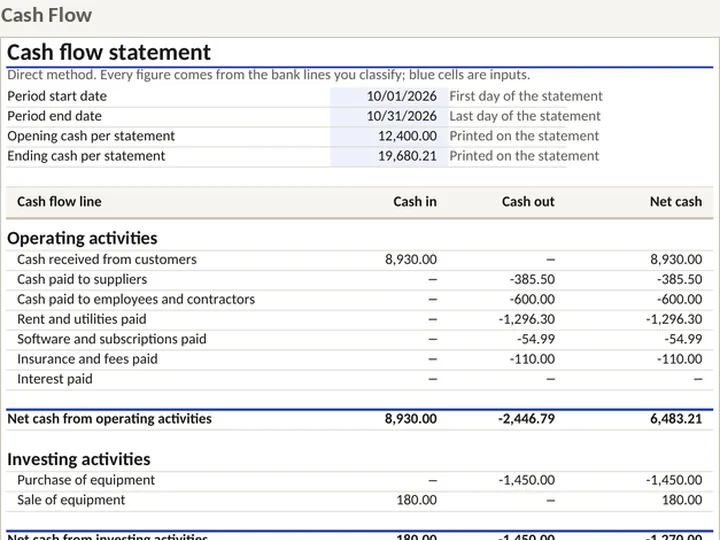
Group cash receipts and payments by activity, then reconcile closing cash with your bank statement.
Accepts exported transaction data
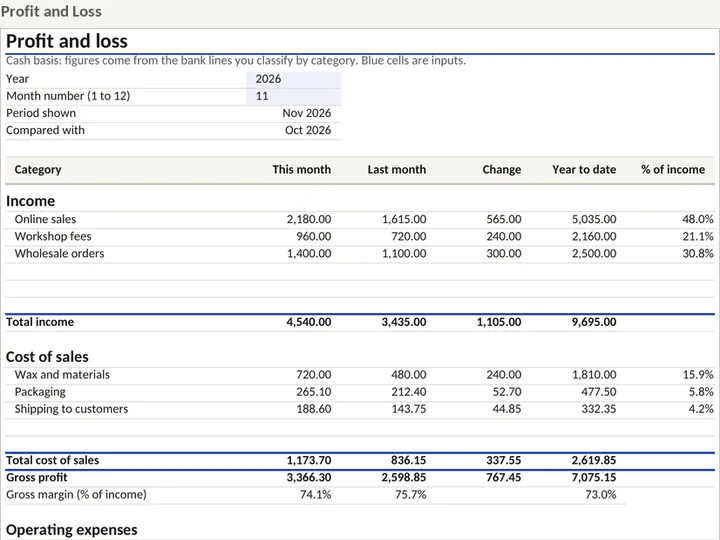
Prepare a monthly cash-basis profit and loss report from categorized bank transactions.
Accepts exported transaction data
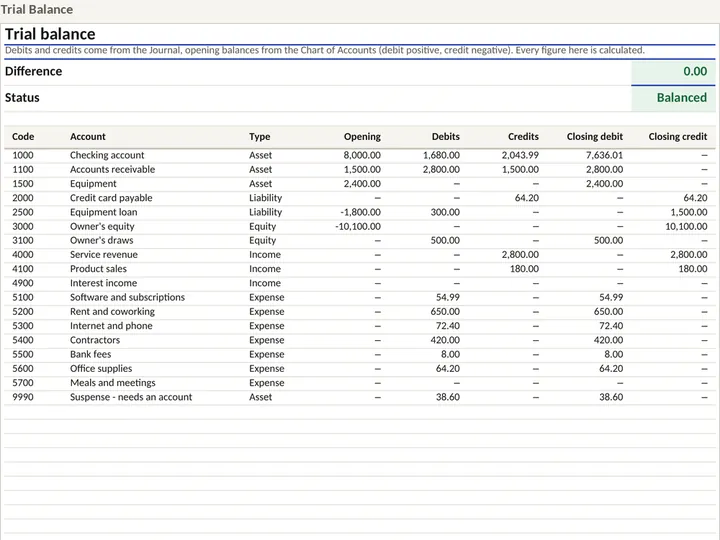
Categorize bank transactions to generate journal entries, account balances and a trial balance.
Accepts exported transaction data
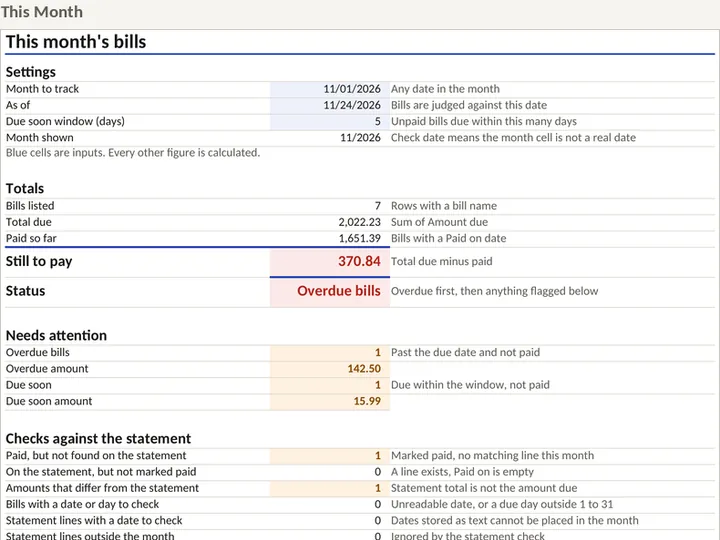
Track recurring bills, due dates and payment status, and check payments against your statements.
Uses figures from statements