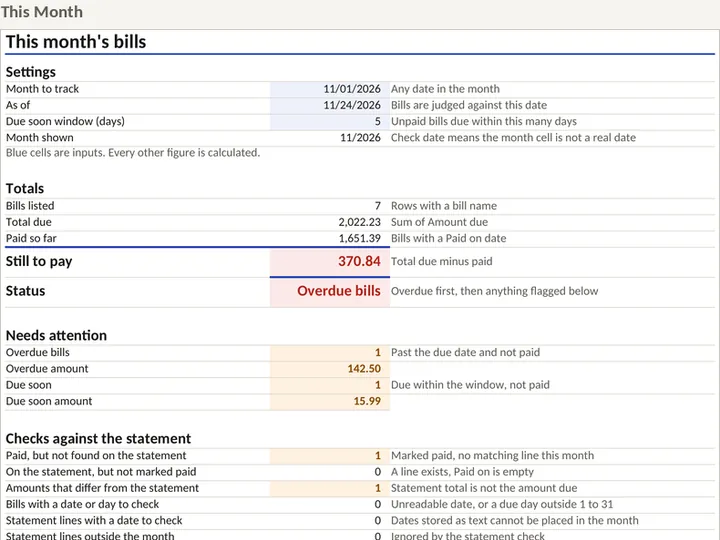
Monthly Bill Tracker
Track recurring bills, due dates and payment status, and check payments against your statements.
Uses figures from statements
Download .xlsx23 KB
Track utility usage and costs, compare cost per unit and review unusual changes in consumption.
Download complete. Next step: Convert a statement PDF to data you can use in this template
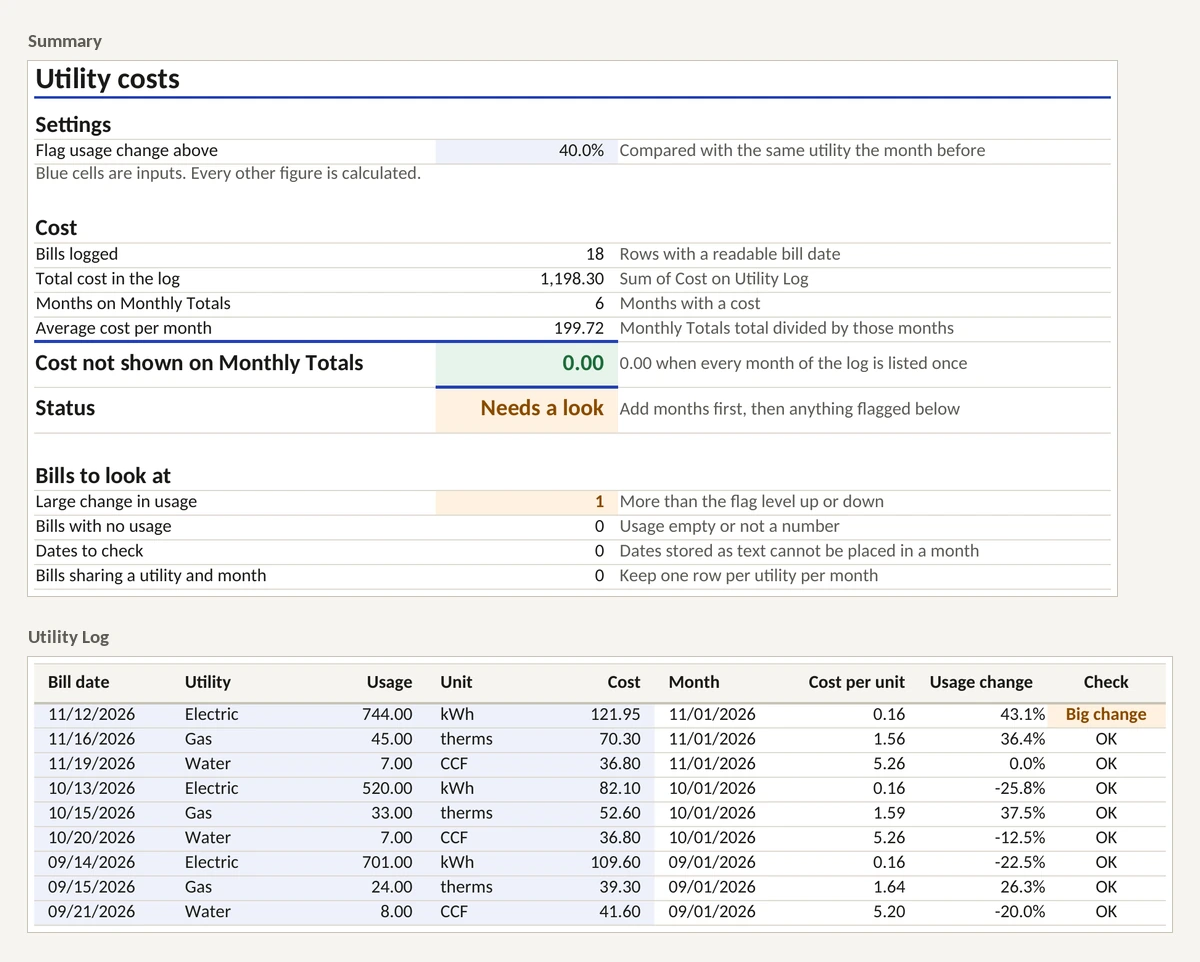
Record monthly electricity, gas and water usage and costs. The workbook calculates cost per unit, compares usage with the previous month and summarizes monthly totals. Alerts highlight changes in consumption for you to investigate.
| Field | Description | Cell type |
|---|---|---|
| Usage | Amount used in the billing period, in the unit beside it | Input |
| Cost | Total on the bill | Input |
| Month | First day of the bill's month | Formula |
| Cost per unit | Cost divided by usage | Formula |
| Usage change | Percentage move from the same utility last month | Formula |
| Check | OK, Big change, Add usage, Duplicate or Check date | Formula |
| Month (Monthly Totals) | Any date in the month you want listed | Input |
| Total cost | Every utility for that month | Formula |
| Cost change | Amount up or down from the month before | Formula |
| Flag usage change above | The percentage that triggers Big change | Input |
Electric, gas, water, sewer and anything else you add to the list. Monthly Totals has columns for electric, gas and water, and every utility still counts toward the total column.
The cost of the bill divided by the usage on it, for example dollars per kilowatt-hour. It stays blank when usage is empty or zero.
Each bill is compared with the same utility's bill from the previous calendar month. If usage moved by more than the percentage set on Summary, up or down, the row reads Big change.
Some cost in the log belongs to a month that Monthly Totals does not list. Type that month into a new row of Monthly Totals and the difference goes to zero.
Keep a separate copy of the file for each address. Rename the copy and clear the sample rows in it.
Utility bill recognition has not been tested. Enter bill details manually in this template. PDF to Table supports bank and credit card statements, which you can use to check the payment amount.
License: Free for personal and commercial use. You may edit this template and use it in your own work and business, including for clients. Please don't sell or redistribute the template file itself, on its own or as part of a template pack or collection. Provided "as is", without warranty of any kind; check your own figures. © 2026 PDF to Table — https://pdftotable.app/templates/utility-bill-tracker/
Version 1. Last updated November 24, 2026.
Track recurring bills, due dates and payment status, and check payments against your statements.
Uses figures from statements
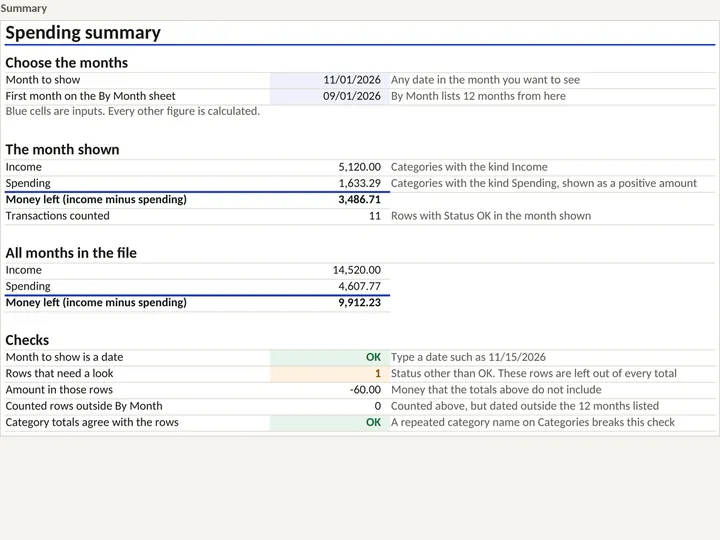
Categorize transactions to track monthly income and expenses.
Accepts exported transaction data
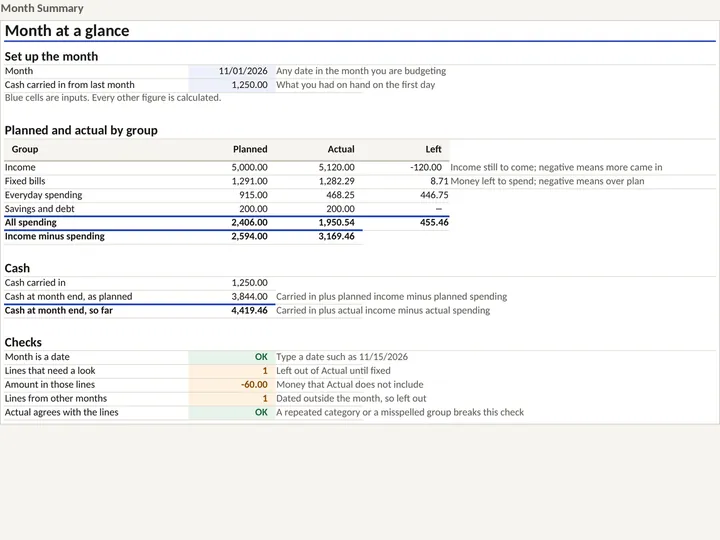
Plan monthly income and spending, compare actual results and monitor your remaining budget.
Accepts exported transaction data
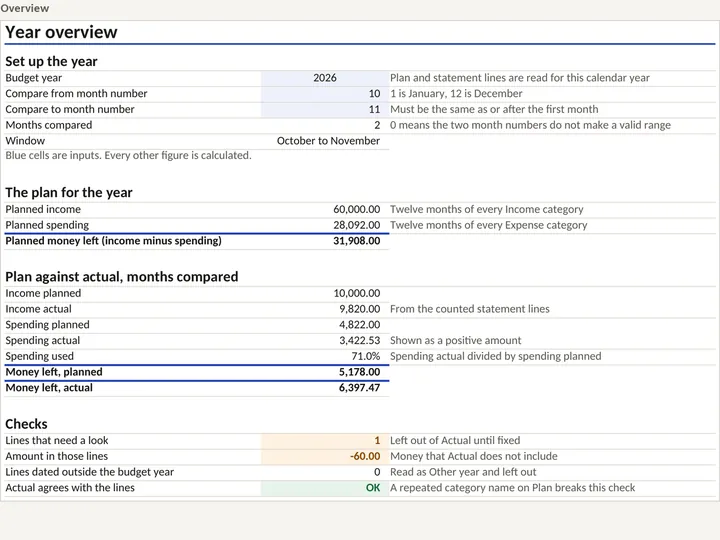
Plan your annual budget and compare monthly income and expenses with actual results.
Accepts exported transaction data
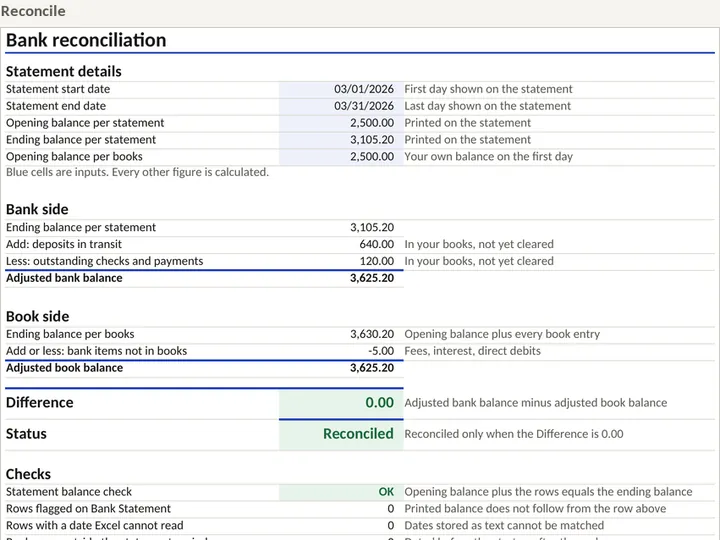
Compare your bank statement with your records and identify outstanding items and discrepancies.
Accepts exported transaction data